
Any fee your department charges, invoiced and collected online.
False alarm responses, standby crews, plan copies, anything with no permit or inspection behind it: one record carries the payer, the fees and the payment, and the payer pays online through the same processor as every permit fee.

A fee outside the permit module is a fee in a spreadsheet.
Every department charges for things no permit or inspection covers. In a response-first RMS those fees have nowhere to live, so they are typed into a template, chased by email and reconciled by hand at year end.
A miscellaneous fee lives in a separate ledger
A fee that is not a permit fee goes on an invoice typed in a word processor or a finance system nobody in the bureau can see, so the department's fee income is two lists that never reconcile.
A billing record raises its invoice from the same numbered sequence as your permit and inspection fees. The auditor reads one list, and the totals add up.
The payer pays by phone or by mail
With no public payment page for a one-off fee, somebody reads a card number over the phone or waits for a cheque.
Your own payment processor takes the payment on a public page, marks the invoice paid and sends the receipt.
A voided fee vanishes
Deleting a fee in a bolted-on module removes the number and the trail with it, and the audit has a gap.
A withdrawn fee is voided with a reason and keeps its number. A deleted record keeps its invoices on the financial list. Money that was collected stays collected.
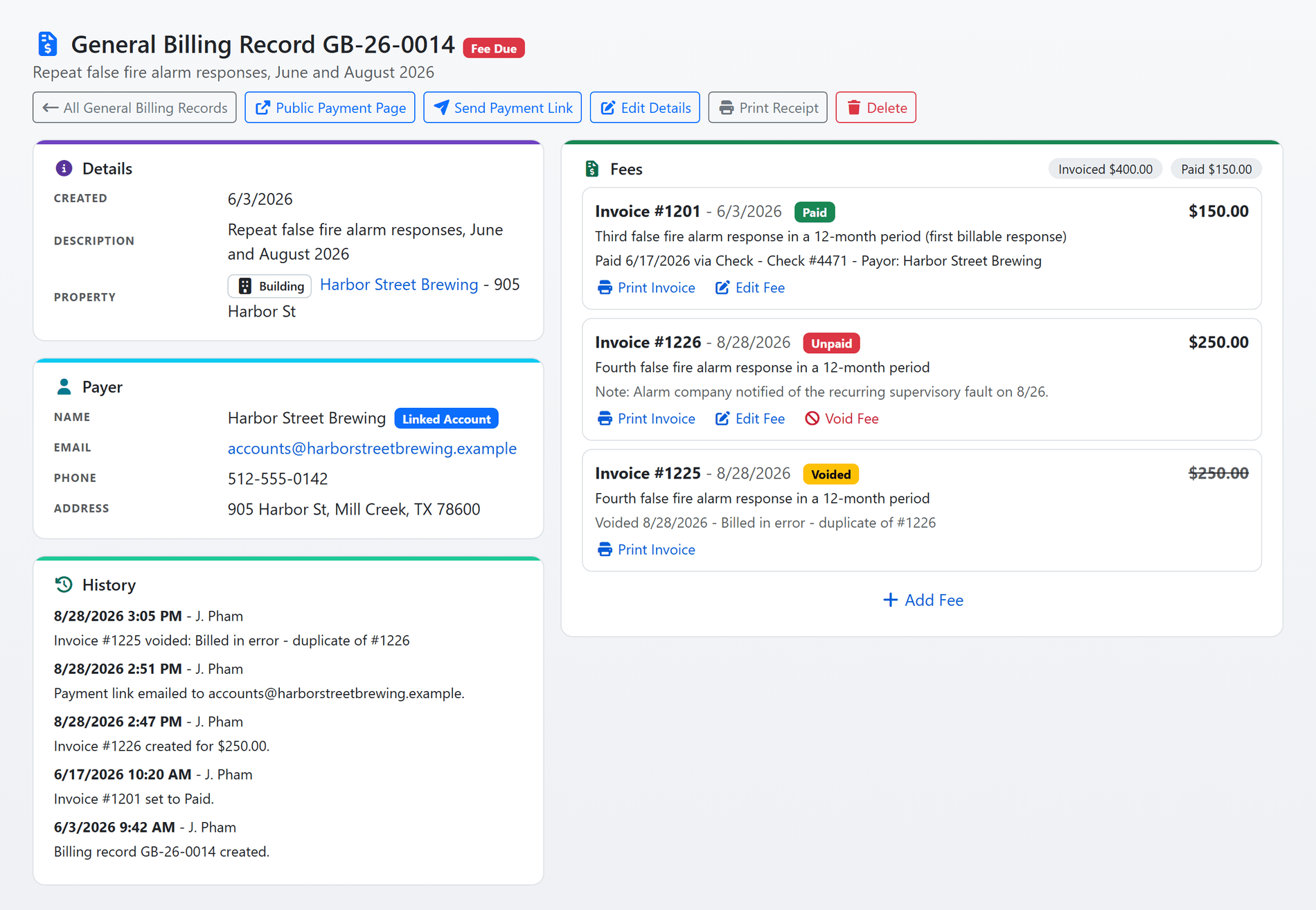
Shown with sample data. Click the image to see the whole page.
Invoice any fee against a property or a payer.
A General Billing record is one billable matter: what it is for, who owes it, the property it concerns if there is one, and the fees raised against it. Each fee is an invoice with its own number, drawn from the same sequence as your permit and inspection invoices.
- Your own fee catalog: staff pick a fee type from the list your department keeps, and the amount and explanation fill in. A free-form fee still works; the catalog seeds the form and never locks it.
- Any payer: a name and contact details typed in, or a public user account linked, so the record appears under Fees on that person's homepage with a Pay now button.
- Property or none: attach the record to a property and the fee shows on that property's page; leave it off for a fee with no address.
- Payments recorded on the invoice: check, cash, money order or whichever options your department takes, with the check number, receipt number and who paid.
- Invoice and receipt PDFs: printed from the record on your department's own invoice document, the same one your permits use.
- Every change in the history: who raised, paid, voided or edited each fee, and when.
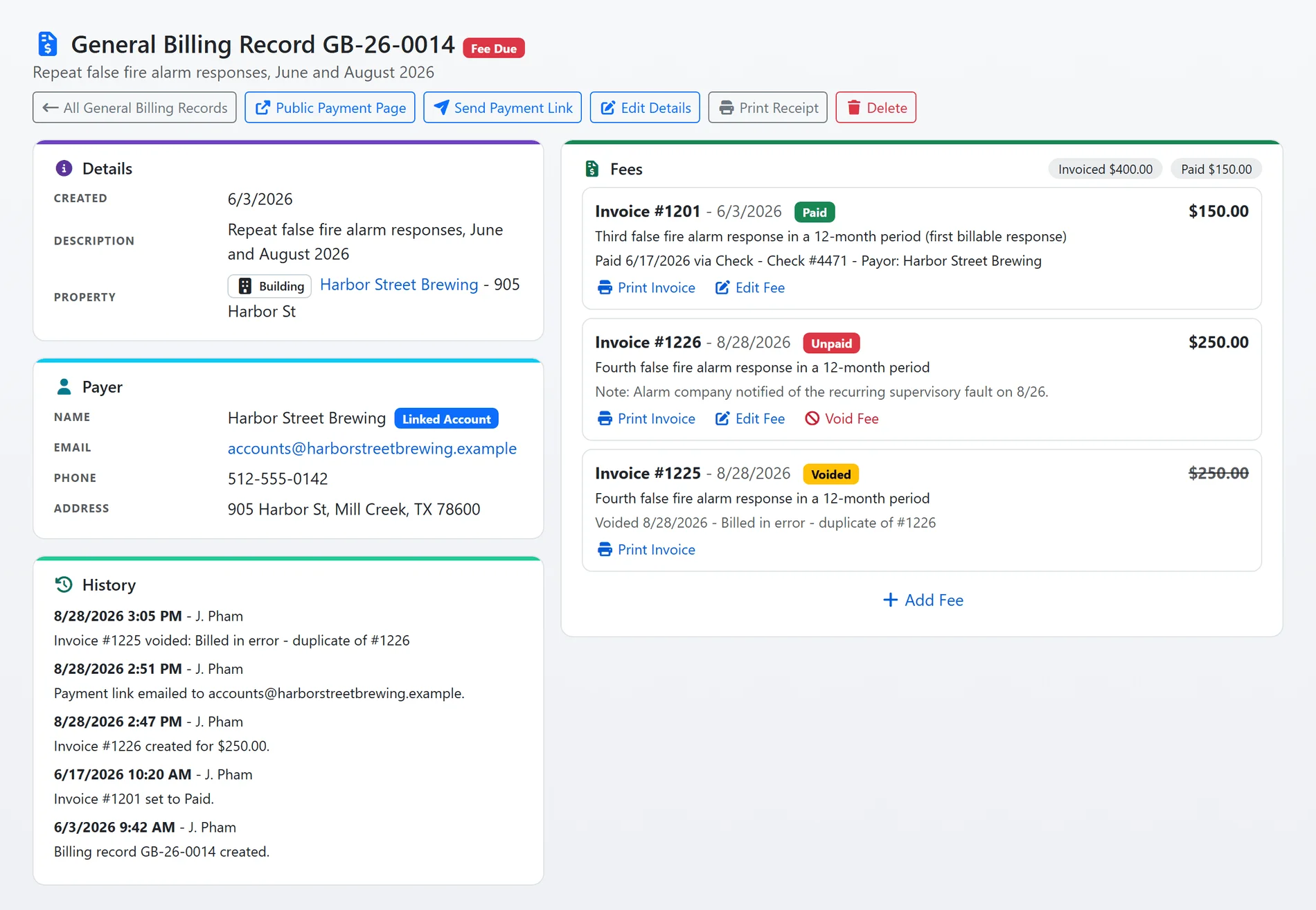
Shown with sample data.
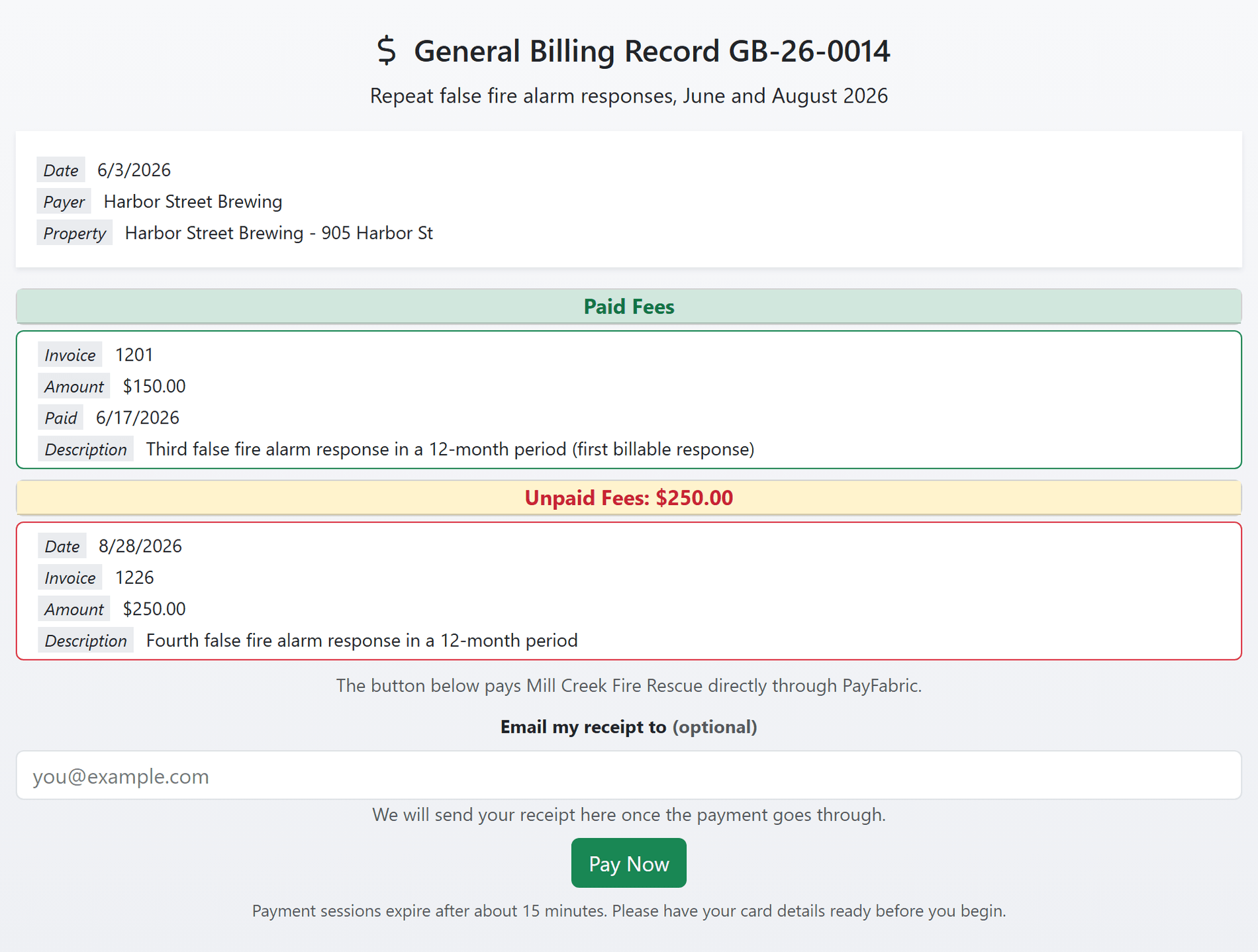
Shown with sample data. Click the image to see the whole page.
The payer pays online and gets a receipt.
Send the payer a link by email or text message and they land on a public page that shows what was paid, what is owed, and one button to pay it through whichever processor your department already uses for permit fees.
- Payment link by email or text: sent from the record in one click, with the invoice PDF attached to the email when you switch that on.
- Your processor: Certified Payments, PayFabric, Zift, QuickBooks Payments, Tyler Technologies or PayPal invoices, the same one every other fee runs through, with every unpaid fee on the record paid in one transaction.
- The payment posts itself: the processor's approval marks the invoice paid, stores the transaction reference and writes the event on the record. No staff step.
- A receipt for whoever paid: the payer can enter an email address for their receipt and download it from the page for 24 hours, which matters when the person paying is not the person billed.
- No double payment: a payer who starts paying holds the invoice, so a second person sees a wait rather than a second charge.
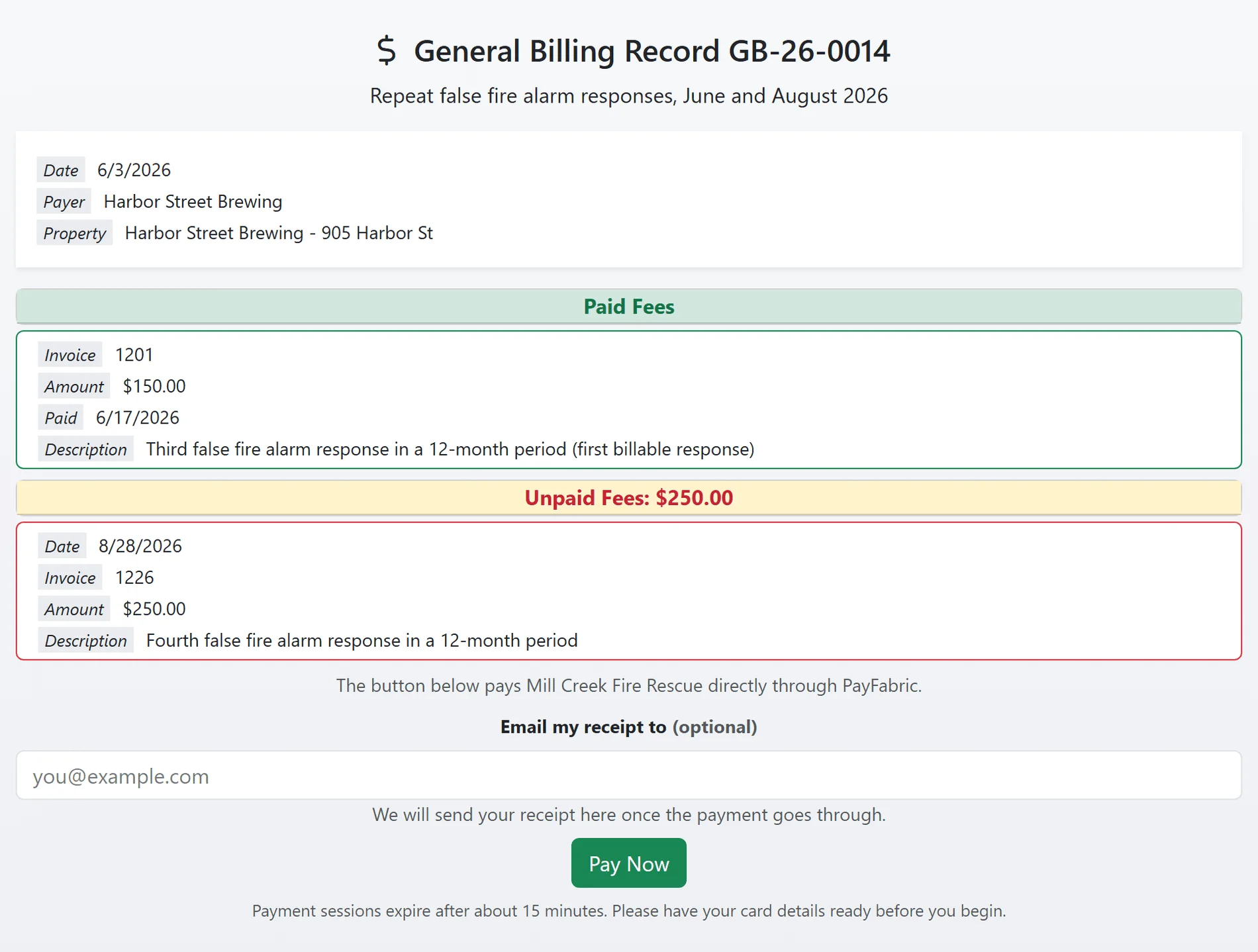
Shown with sample data.
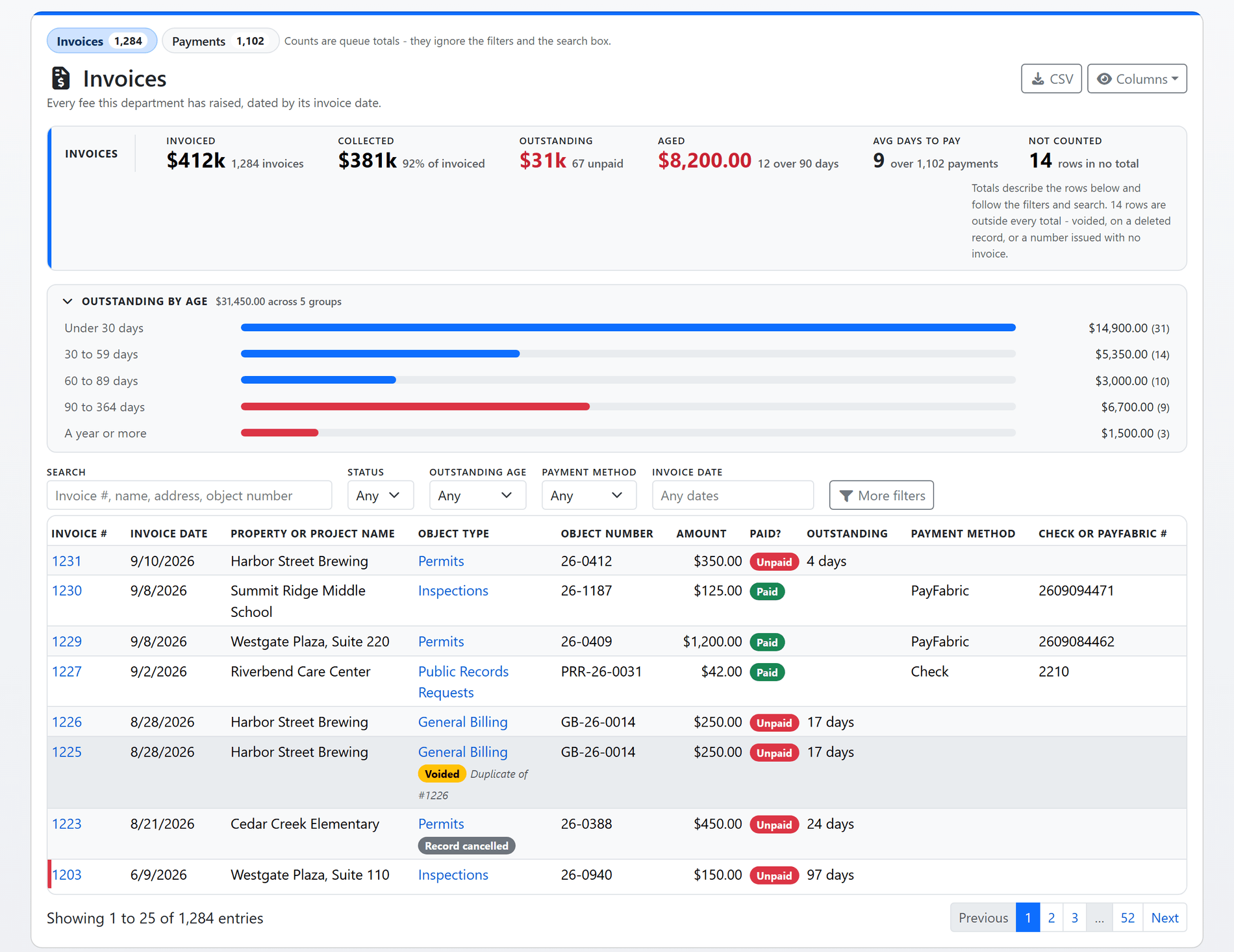
Shown with sample data. Click the image to see the whole page.
Every invoice from every module in one list.
General Billing invoices sit in the same financial list as permit, inspection and public records request fees, so the numbers a board asks for come from one place: what was invoiced, what was collected, what is still owed, and how old it is.
- Totals that follow the filters: Invoiced, Collected, Outstanding and Aged describe the rows below, and clicking a total filters the list to exactly the rows it counted.
- Outstanding by age: every unpaid fee banded from under 30 days to a year or more, with fees past your department's threshold called out on the row.
- Two queues: Invoices, every fee raised by its invoice date, and Payments, money received by the day it posted, with the payment method and reference on every row.
- Filters, columns and export: status, age band, payment method, date range, module, jurisdiction and row state; the columns you choose are remembered; the rows export to CSV.
- Nothing hidden: voided invoices, invoices on deleted or cancelled records and issued numbers with no invoice all stay in the list, badged, and outside the totals.
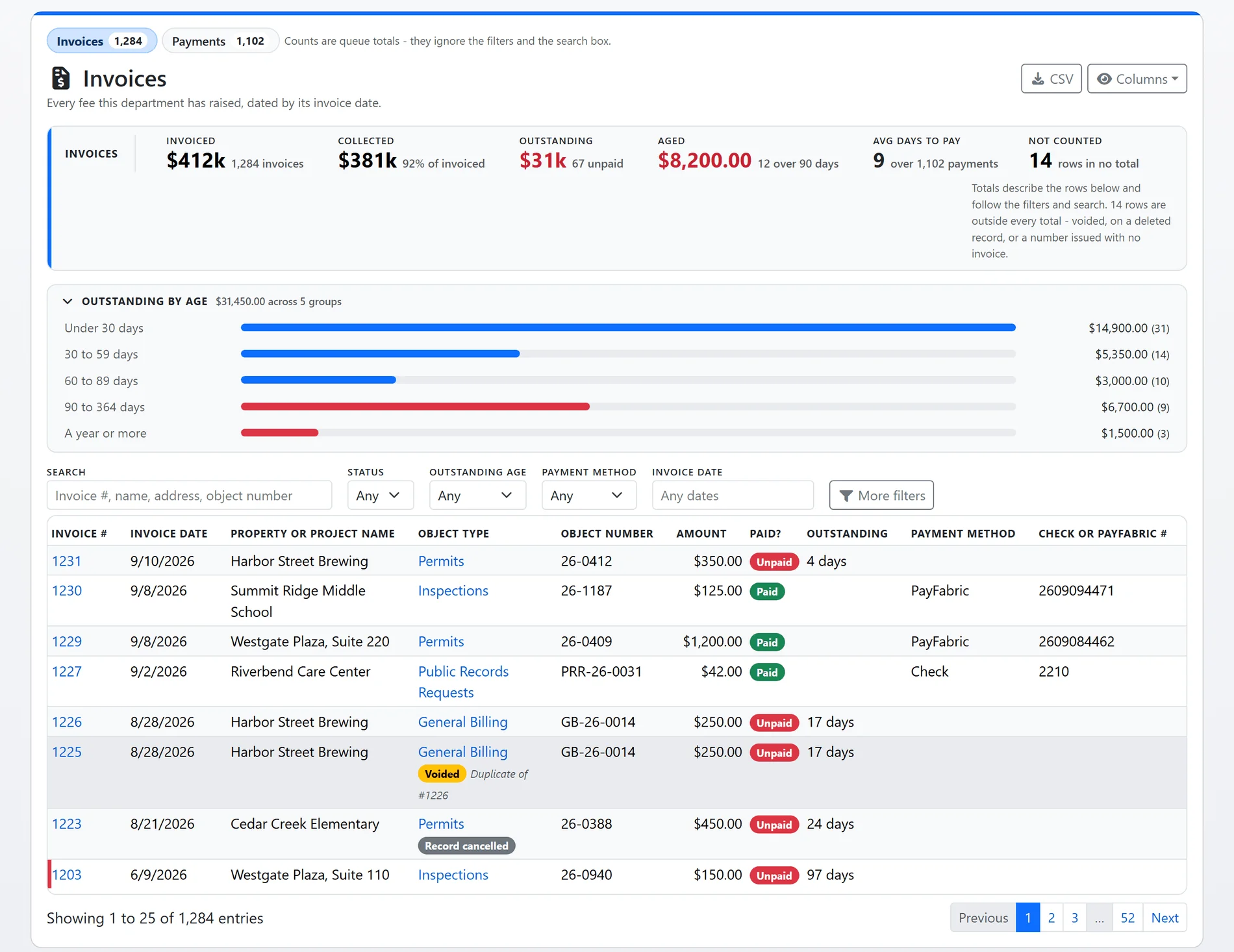
Shown with sample data.
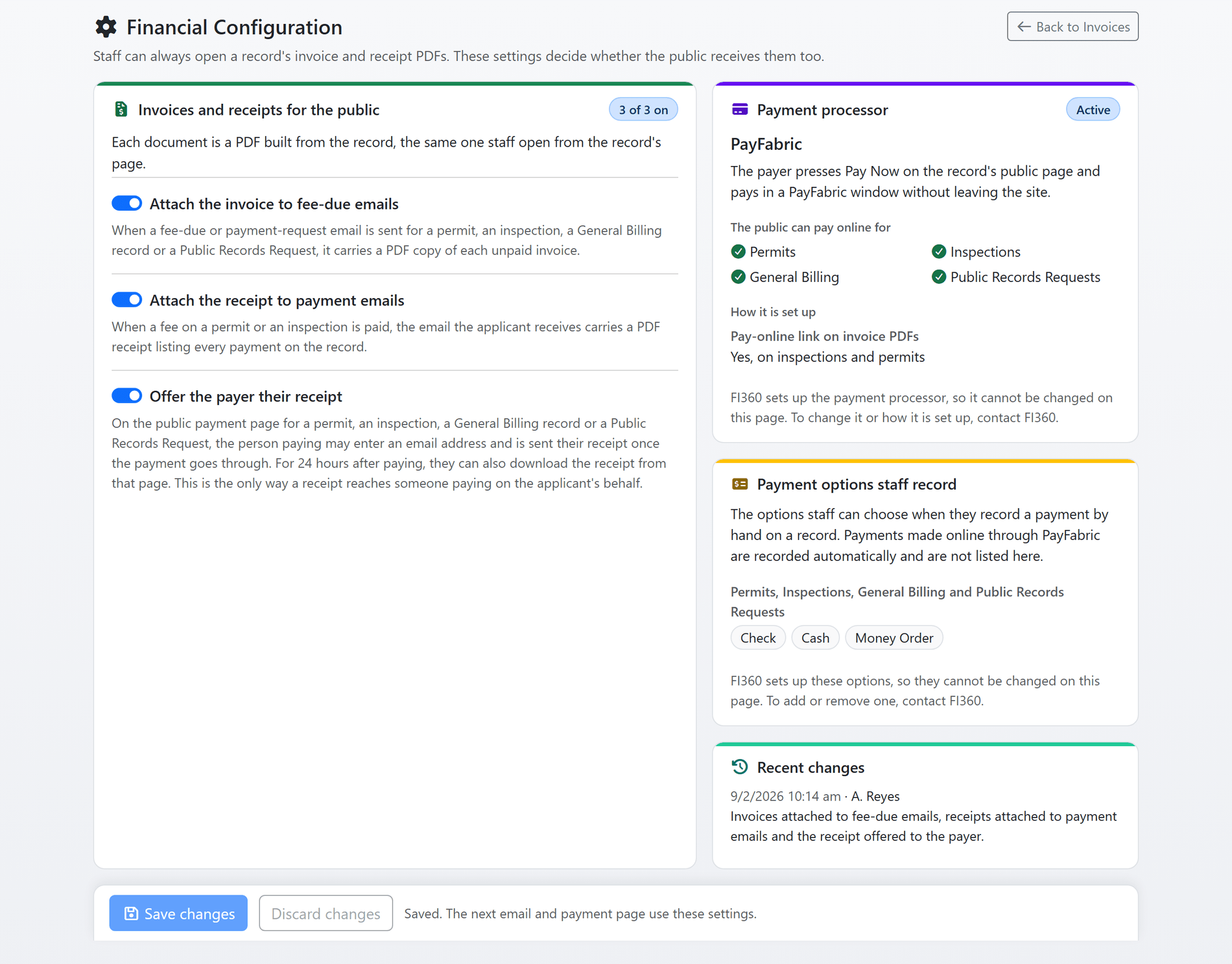
Shown with sample data. Click the image to see the whole page.
Invoices, receipts and payment options, decided by the department.
The Financial Configuration page shows what the public receives and how your payment processor is set up, and lets an administrator decide the three things a department should decide for itself.
- The invoice on the fee-due email: every fee-due or payment-request email carries a PDF of each unpaid invoice.
- The receipt on the payment email: when a permit or inspection fee is paid, the applicant's email carries a PDF receipt listing every payment on the record.
- The receipt for the payer: the payment page offers an email box for the receipt and a download for 24 hours after paying.
- The processor, described: which processor, how the payer pays, which records the public can pay online, and whether invoice PDFs carry a pay-online link. No credential ever appears on the page.
- The options staff record: the cash, check and money order options offered when a payment is recorded by hand, one list for permits, inspections, General Billing and records requests.
- Every change signed: the last saves, who made them and what they switched.
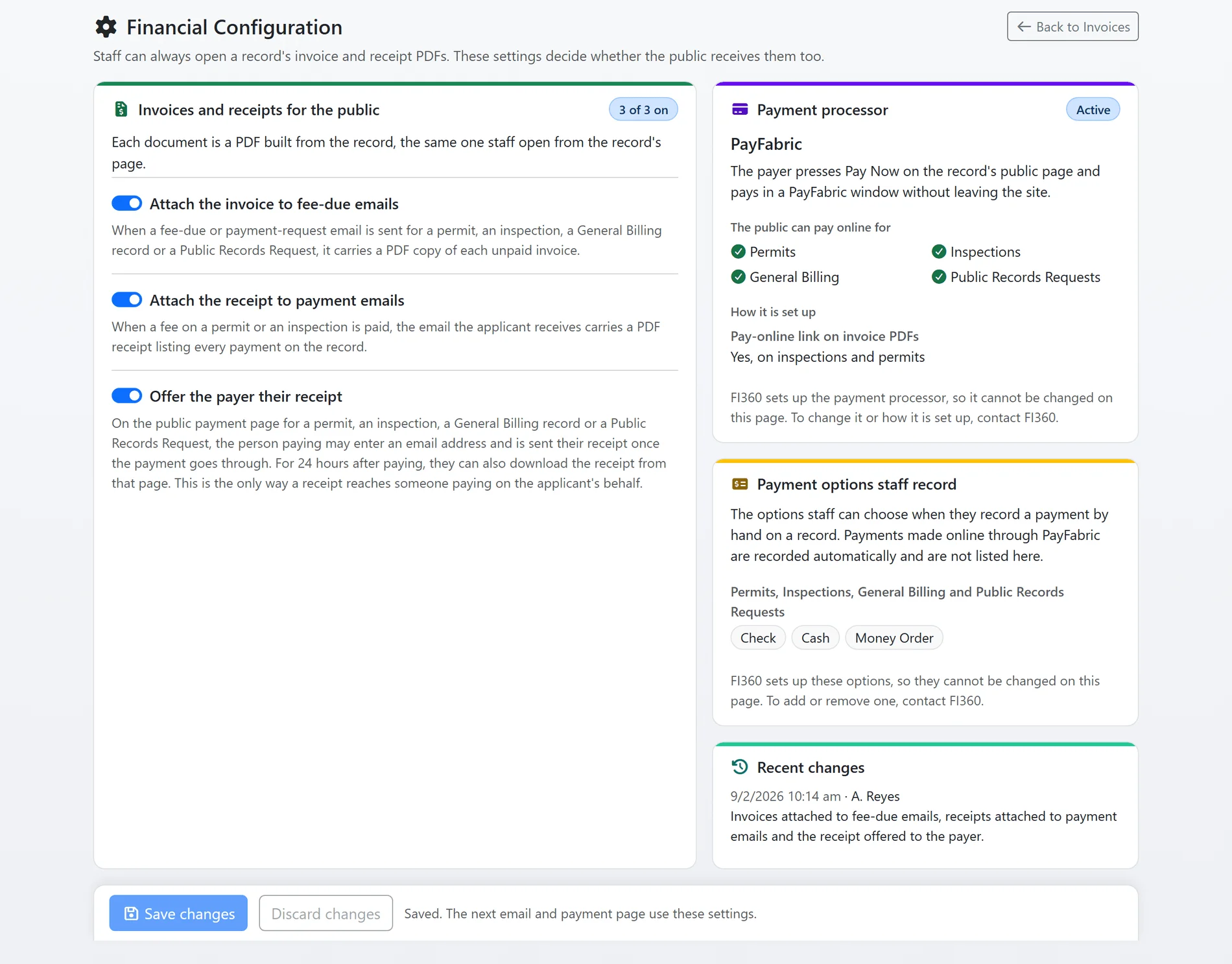
Shown with sample data.
And that is only the start
Voiding with a reason
A withdrawn fee is voided, never deleted: the invoice keeps its number, stays on the financial list marked Voided with the reason, and drops out of every total. A paid invoice can never be voided.
One invoice sequence
Permit, inspection, billing and records request invoices draw from one numbered sequence per department, and every number is recorded the moment it is issued, so an auditor can account for each one.
Fee types
A catalog of the fees your department charges, each with a default amount, edited from the billing list and offered as a dropdown on every fee form.
Linked payer accounts
Link a public user account to a record and the fee appears on that person's homepage with a Pay now button, and a fee that is due shows in their attention list.
Financial analytics
Invoiced, collected, outstanding and aged receivables for any period, collections by payment method, how long payments take, plain-language insights, and a board report PDF.
Billing Manager permission
Every agency user can read billing records. Creating them, adding fees, recording payments and voiding need the Billing Manager permission, enforced on the server.
See billing with your own fee schedule.
A one-hour walkthrough with a fire prevention expert, or the demo site right now.