
Every certification in the department, warned before it lapses.
Every member's certifications and continuing education in one place: the holder emailed on the lead times you set, CE hours counted by the rules the issuing body writes, and the exports a state audit asks for.

A training module bolted onto a response RMS cannot keep a certification current.
Certifications lapse quietly. The date sits in a personnel record or a spreadsheet, the CE hours sit in a binder, and the first anyone hears of it is a state audit. A module built for scheduling and staffing has no way to say what the issuing body actually requires.
The expiration date is not the requirement
A date field in a training module says when a credential ends. It cannot say that 20 hours are owed by then, that no more than 4 may come from one subject, or that 2 must be injury report review.
The rule itself is stored, and each holder's progress is worked out against it.
Nobody reads the spreadsheet until the audit
A reminder in someone's calendar leaves when they do, and a lapse is found when the state asks.
The holder is emailed at the lead times your department sets, supervisors receive the expired and expiring lists on a schedule, and every email sent is on the record.
A class is typed twenty times
A training module records a class once per attendee, and the hours count toward whichever certification somebody remembers to link.
A class with twenty participants is one record. Each participant's hours count toward every certification they link it to, and the audit export is one click.
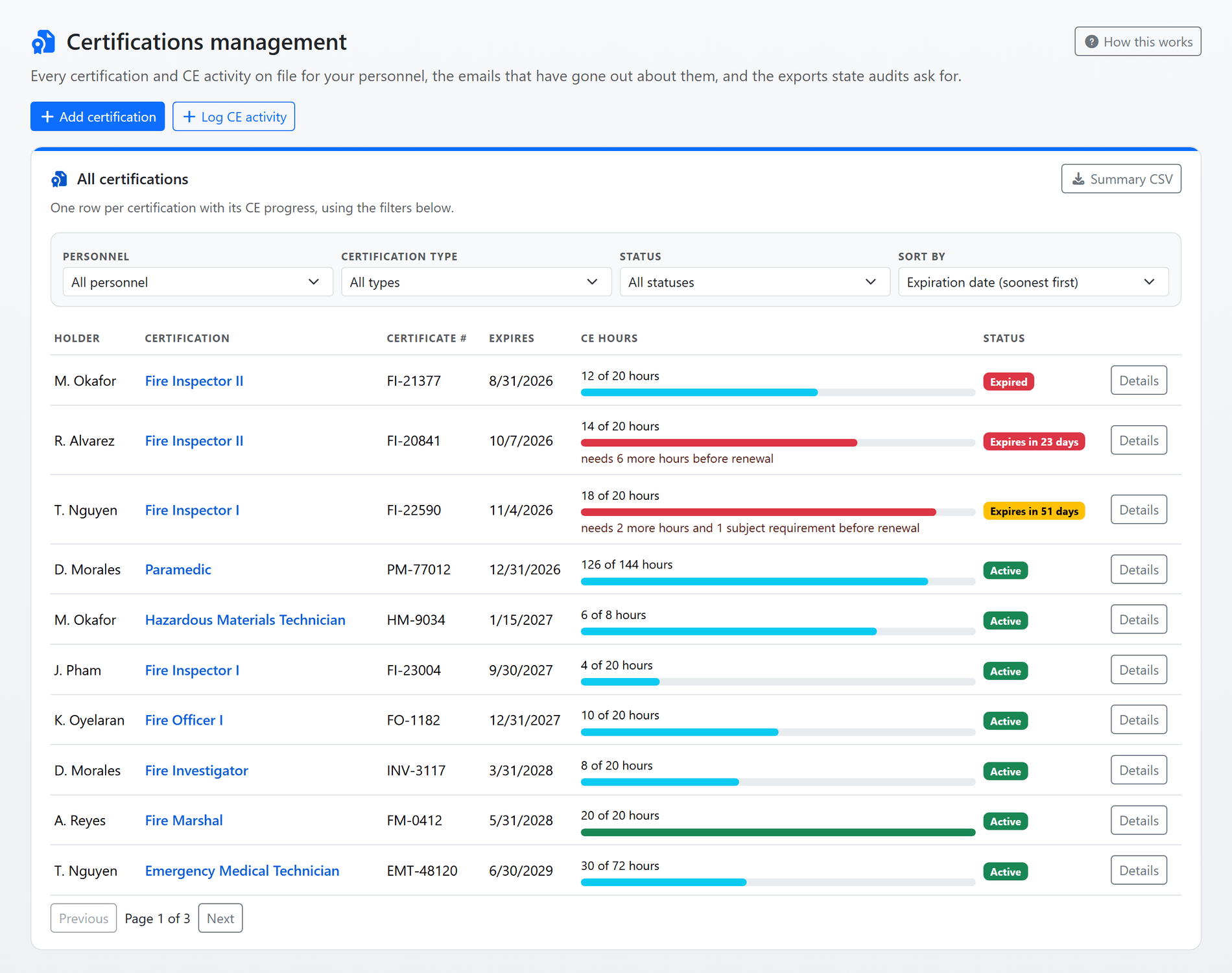
Shown with sample data. Click the image to see the whole page.
Every member's certifications on one page.
The management page lists every certification the department holds: the holder, the certificate number, the expiration date, the continuing education completed this cycle and a status badge that changes colour as the date approaches. Filter by person, type or status, and sort by who expires soonest.
- Status from the date: Active or Expired, with "Expires in N days" turning yellow inside the expiring-soon window and red inside the urgent window, both set by your department.
- CE progress on the row: hours counted against hours required, and exactly what is still owed before renewal.
- My Certifications for everyone: each member keeps their own records, uploads the certificate, adds notes and logs their own CE; Certification Managers see and manage everyone's.
- Renew in one step: a renewal rolls the certification into its next cycle, re-arms the warnings and writes the previous cycle's dates into the history. Several can be renewed together.
- Archive, not delete: a certification nobody tracks any more leaves the lists and the emails while its full record stays.
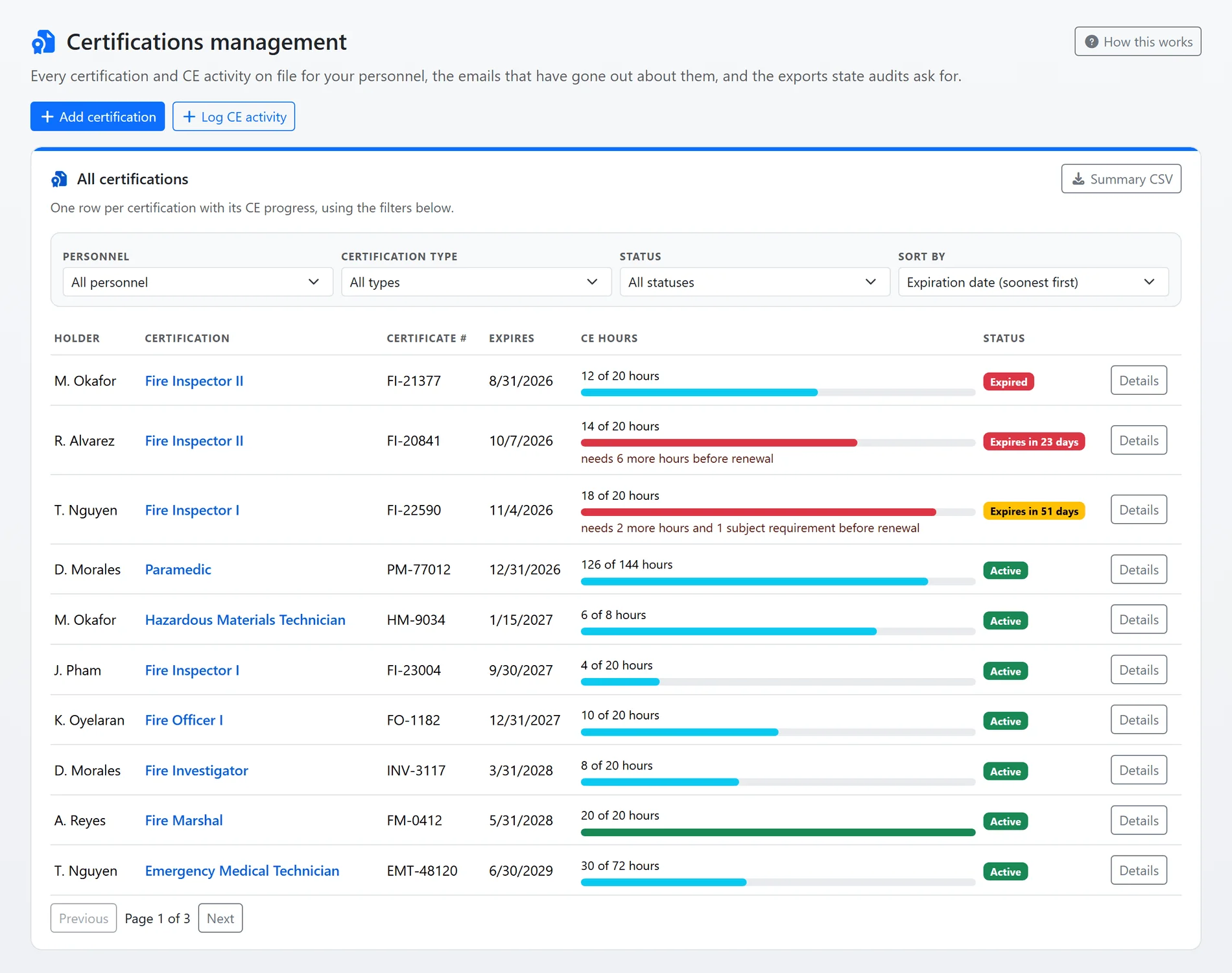
Shown with sample data.
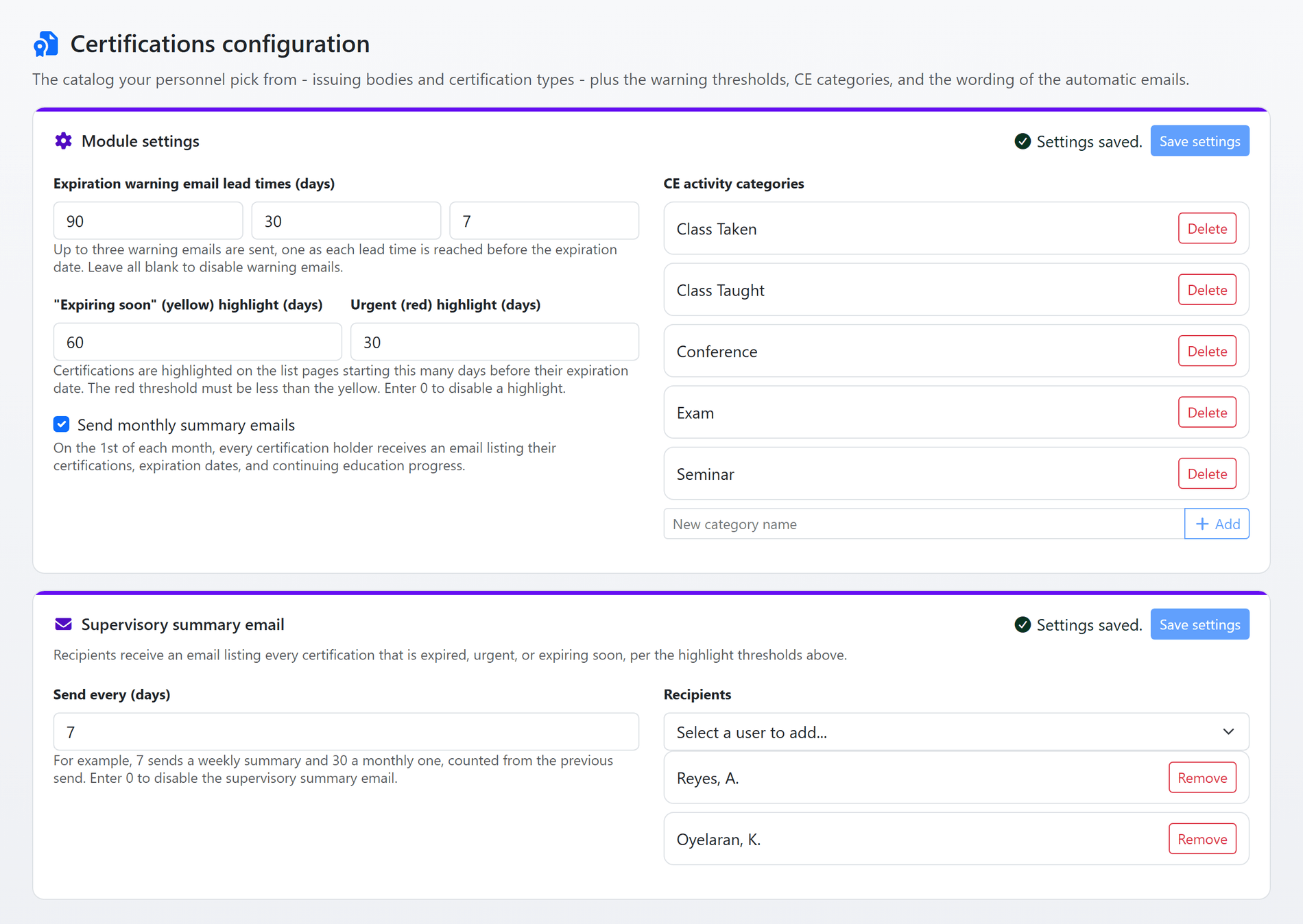
Shown with sample data. Click the image to see the whole page.
Warned on your lead times, not by accident.
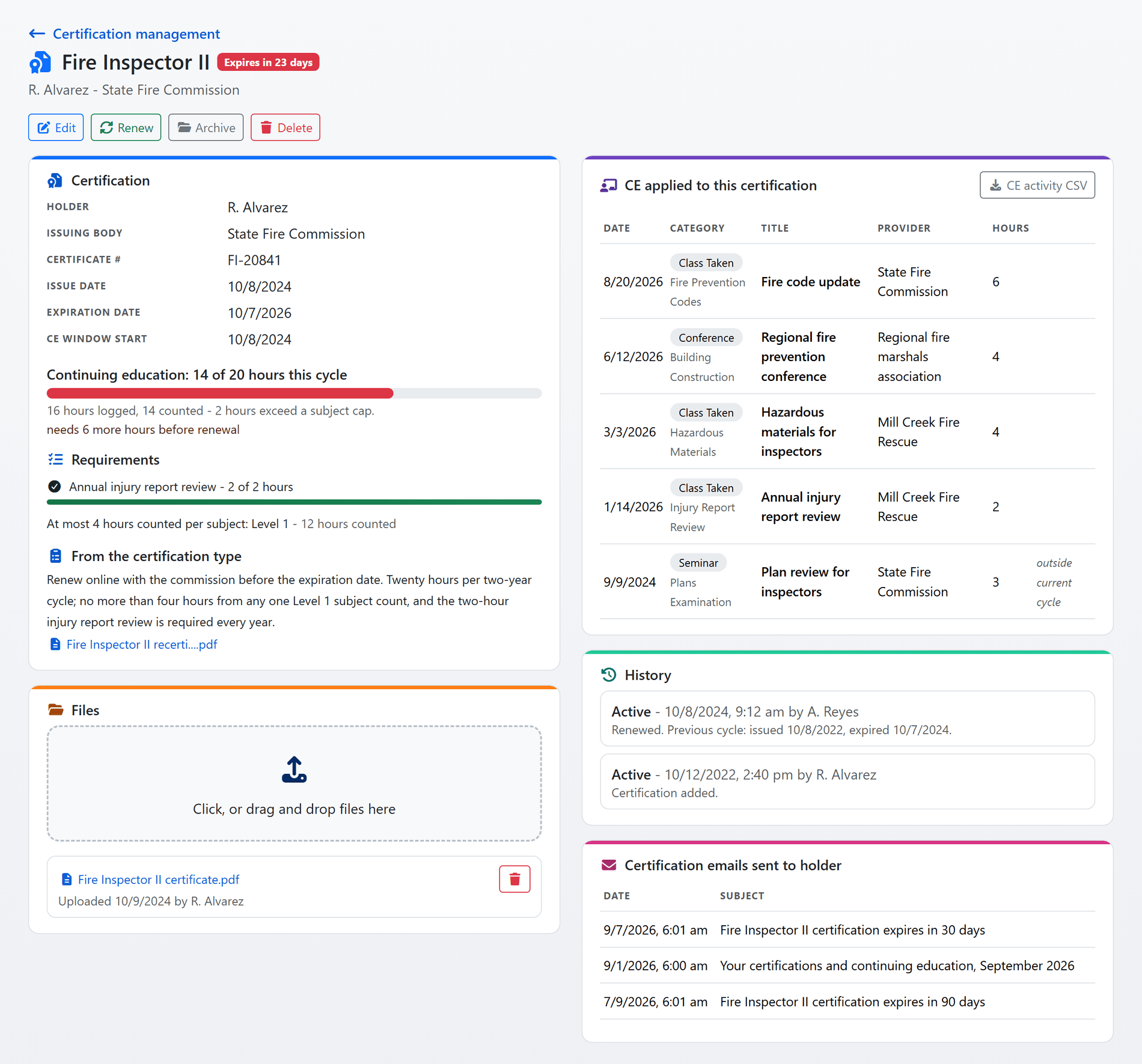
Four emails go out by themselves, worded from templates your department edits. The holder is warned as each lead time is reached, told the moment a certification expires, and can receive a monthly summary of everything they hold. Supervisors receive the expired, urgent and expiring-soon lists on the interval you choose.
- Up to three lead times: 90, 30 and 7 days, say. Each warning carries the CE hours still owed and any subject minimum not yet met.
- The nightly check: the first check after the expiration date marks the certification Expired, writes it into the history and emails the holder.
- Supervisory summary: every N days to the people you name, sent even when there is nothing to report so they know the check ran.
- Monthly summary: on the first of the month, every holder receives their certifications, expiration dates and CE progress.
- Every email on the record: a holder reads the ones about their own certification from its page; managers read all of them.
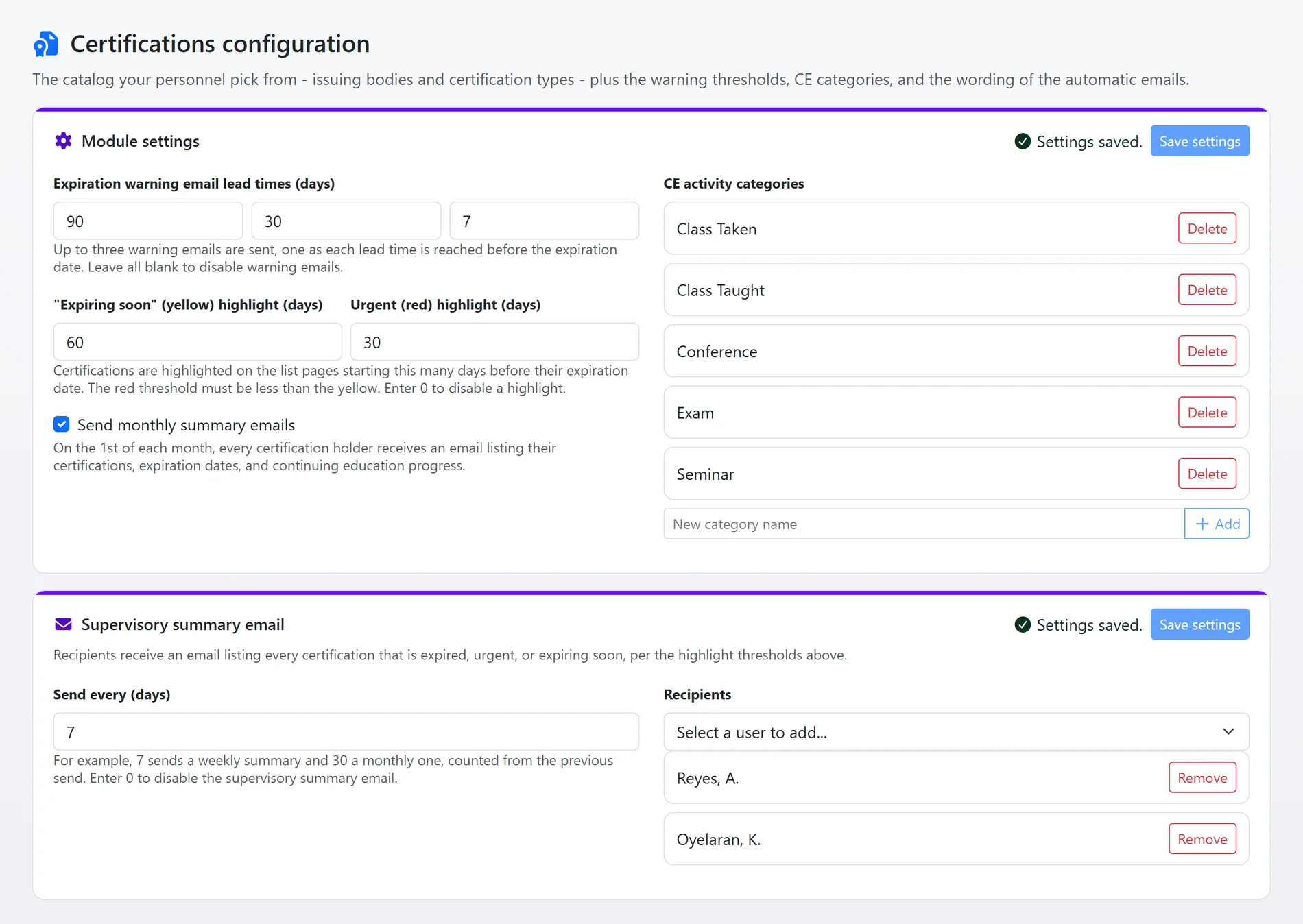
Shown with sample data.
Shown with sample data. Click the image to see the whole page.
CE counted by the issuing body's rules.
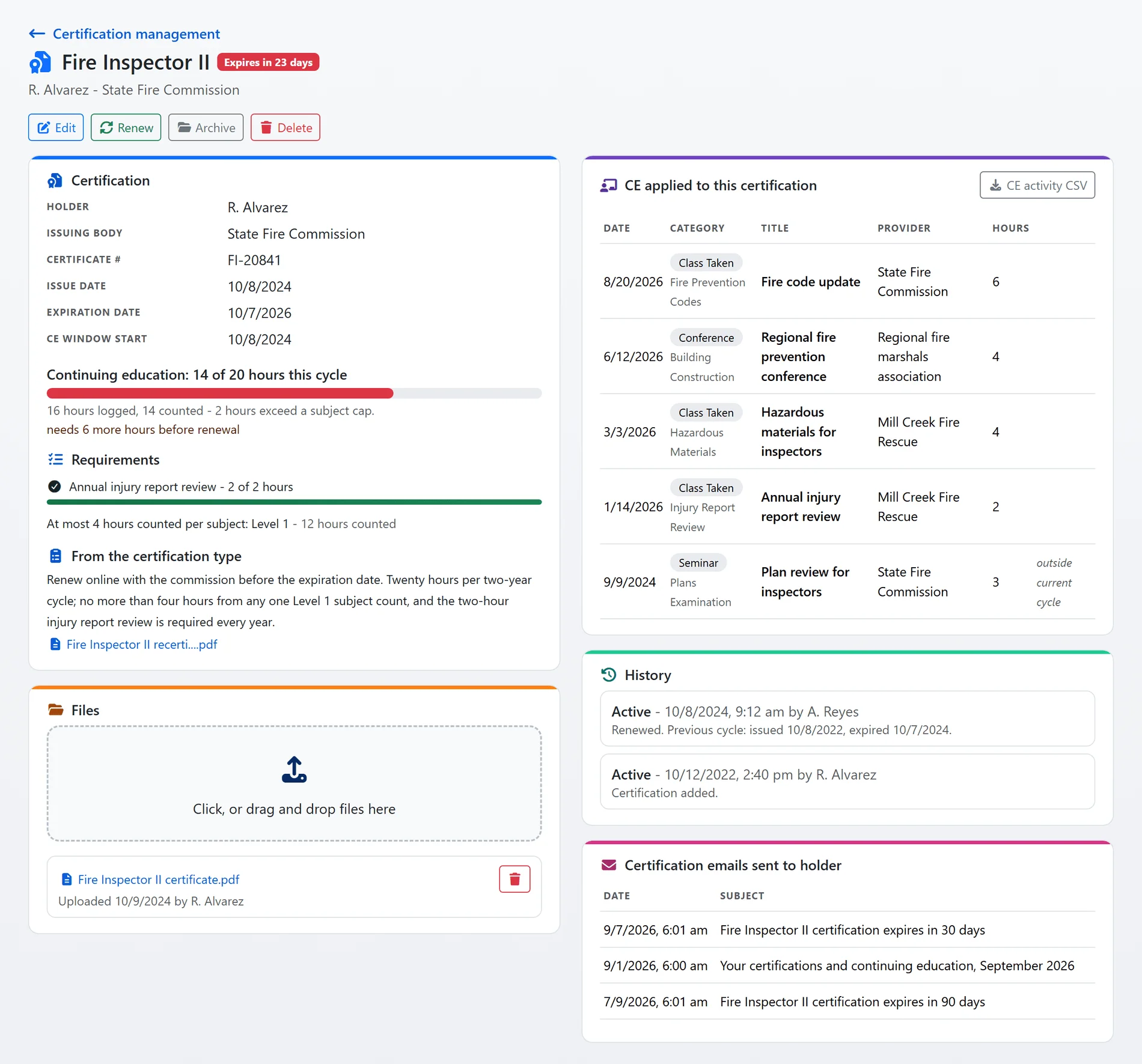
Continuing education is logged as activities: a class, a conference, an exam. One activity can list many participants, each with their own hours, and each participant links it to the certifications it should count toward. The certification's page shows the hours counted against the requirement and each rule met or not.
- Subjects and groups: a type lists the subjects hours can be tagged with, and a participant's hours can be split across several for a multi-topic course.
- Caps and minimums: at most N hours from a subject or group, at least N hours in another. Caps are applied first, so a minimum cannot be met with hours a cap has already discounted.
- Only this cycle counts: hours outside the certification's CE window are kept and shown but never roll forward. A type can pin the window to a fixed date each year.
- Renewal by exam: an activity marked as renewing rolls every linked certification into its next cycle when it is saved, and earns no hours.
- Requirements read live from the type: change a rule and every holder's progress follows on the next page load.
Shown with sample data.
Shown with sample data. Click the image to see the whole page.
Your certification types, your rules.
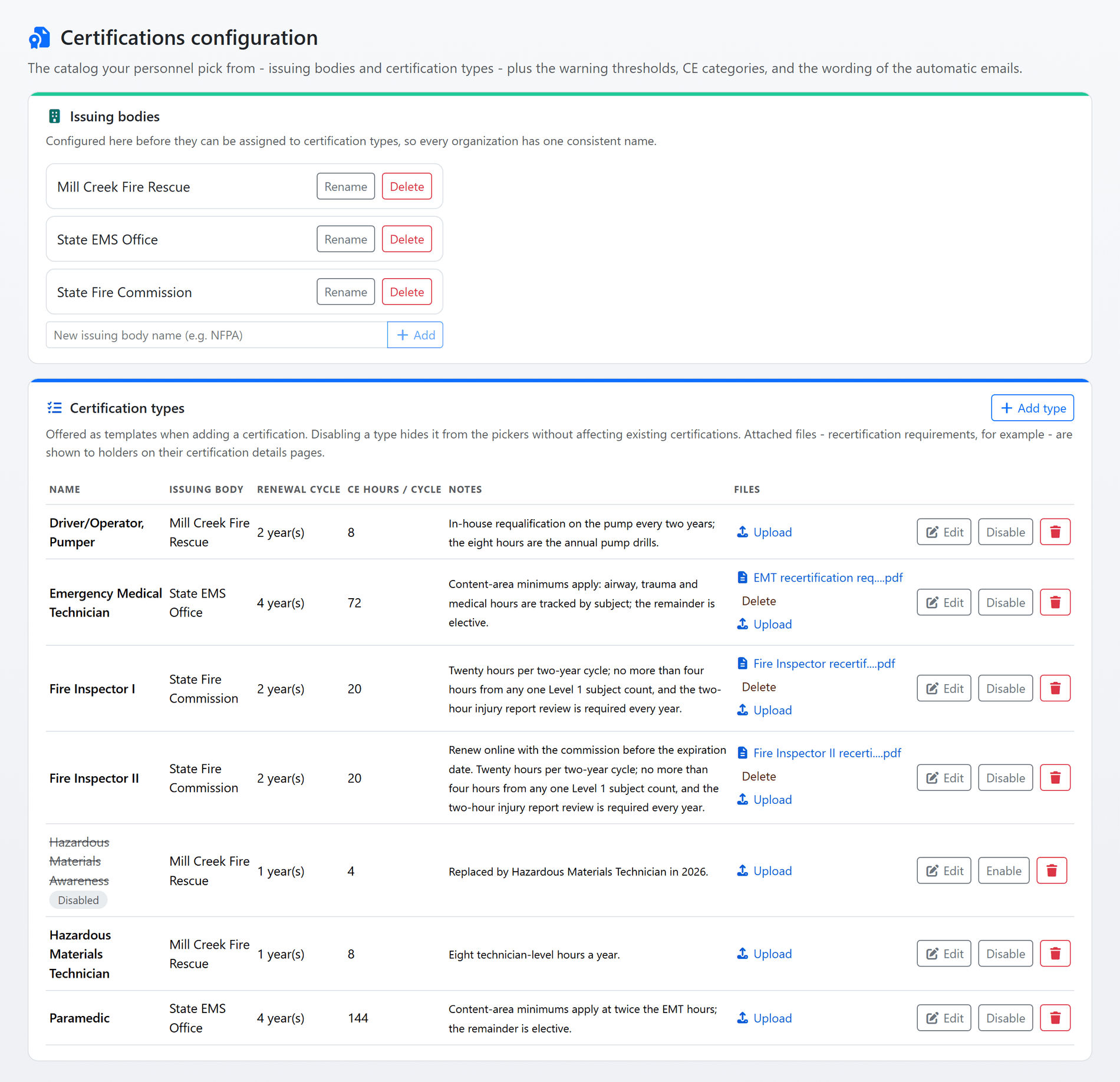
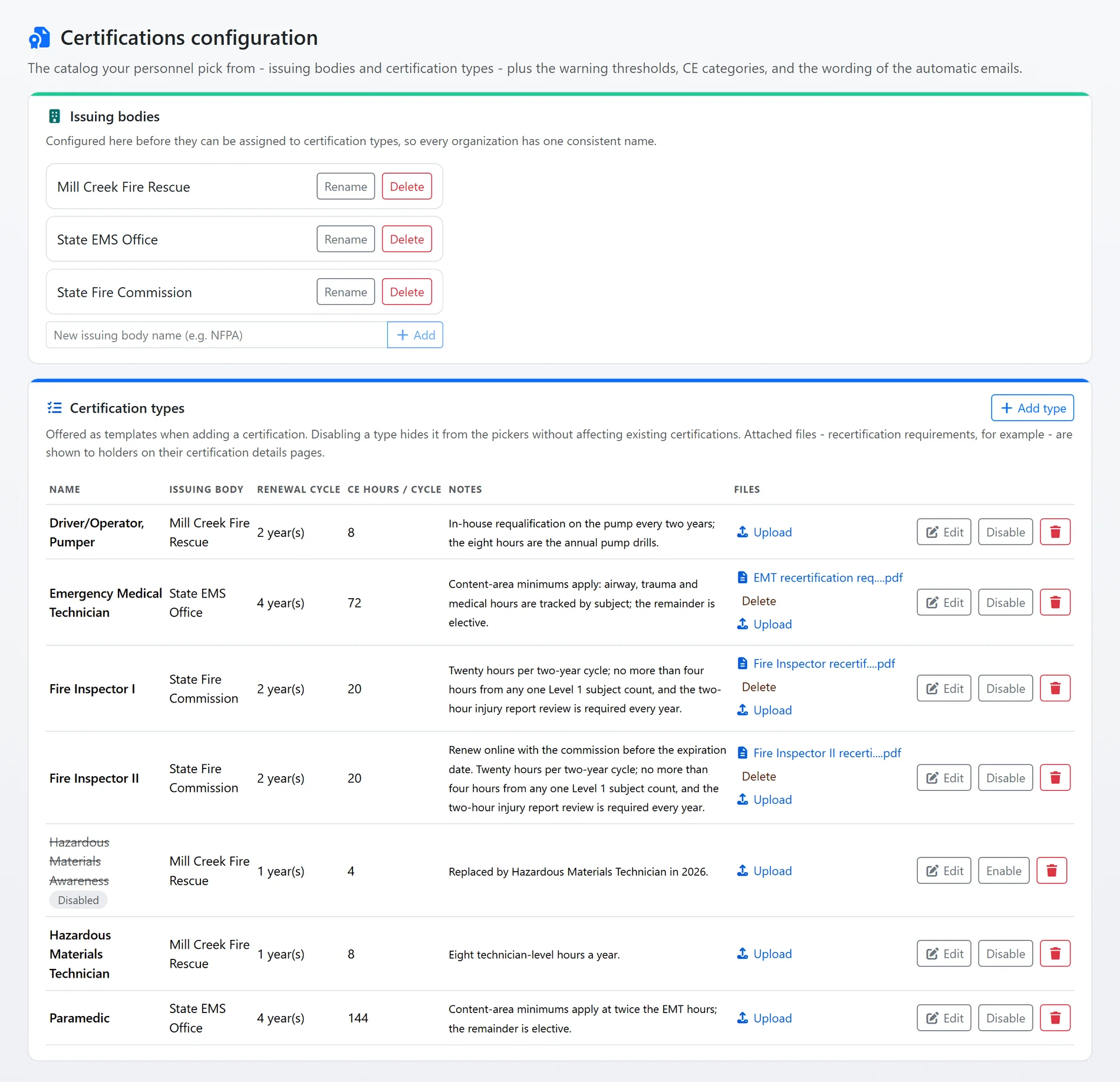
Every certification is created from a type your department configures: one credential from one issuing body, with its renewal cycle, its CE hours per cycle, its subjects and rules, and the notes and files every holder should see, the recertification instructions for example.
- Issuing bodies first: one entry per organization, so the same body is never spelled three ways.
- Copy from another type: pull a type's subjects, rules and CE window into a new one and adjust the hours.
- Disable, never break: a retired type leaves the pickers while the certifications created from it keep reading their requirements.
- One permission: Certification Managers, which Administrators are, manage everyone's records, the catalog, the settings and the exports. Everyone else manages their own. Partner and public users have no access.
Shown with sample data.
And that is only the start
Audit-ready exports
Every CE activity as one row per person, certification and activity, and a certification summary with CE progress and outstanding requirements, both as CSV.
Files and notes on the certification
The certificate itself, uploaded by drag and drop, and dated notes with who wrote them.
A history that explains itself
Every status change and renewal, with the previous cycle's dates, on the certification's own page.
Emails in your words
The four automatic emails are templates your department edits, with CC, BCC and reply-to, and changes take effect within a minute.
CE categories you define
Class taken, class taught, conference, exam and seminar to start; add your own.
A guide built from your settings
"How certifications work" shows every department user how status, CE counting and the emails are decided, with the department's own types and settings on the page.
See it with your own certification types and CE rules.
A one-hour walkthrough with a fire prevention expert, or the demo site right now.