
Every station tour and school visit, requested, staffed and counted.
The public asks through your portal, the department assigns and schedules it, the crew closes it out with who came and how long it took, and the analytics page turns the year into a board report.

An inbox and a spreadsheet are not a public education program.
Most departments book community events by phone and email and count them in a spreadsheet, or in an RMS module built for counting incidents. Neither can take a request from the public, hold a booking to a rule, or say who was reached.
Requests arrive by phone and email
A school emails, a church calls, someone writes it on the station whiteboard. Nothing numbers it, nothing acknowledges it, and nothing tells the chief it has sat unanswered for two weeks.
Requests come through the portal, are numbered and acknowledged on arrival, and the unanswered ones are counted on the queue.
A booking nobody owns is a no-show
A spreadsheet will happily call an event scheduled with no one assigned and no place on file.
Scheduled and Completed need an assignee and a property record, and the date decides the rest.
Attendance lives in a text box
Seniors, adults and children reached, and the hours spent, are typed into a note that no spreadsheet can add up by program, month and venue.
Every completed event records its audience and its hours on the property it served, and the analytics add them up the way a board asks.
Shown with sample data. Click the image to see the whole page.
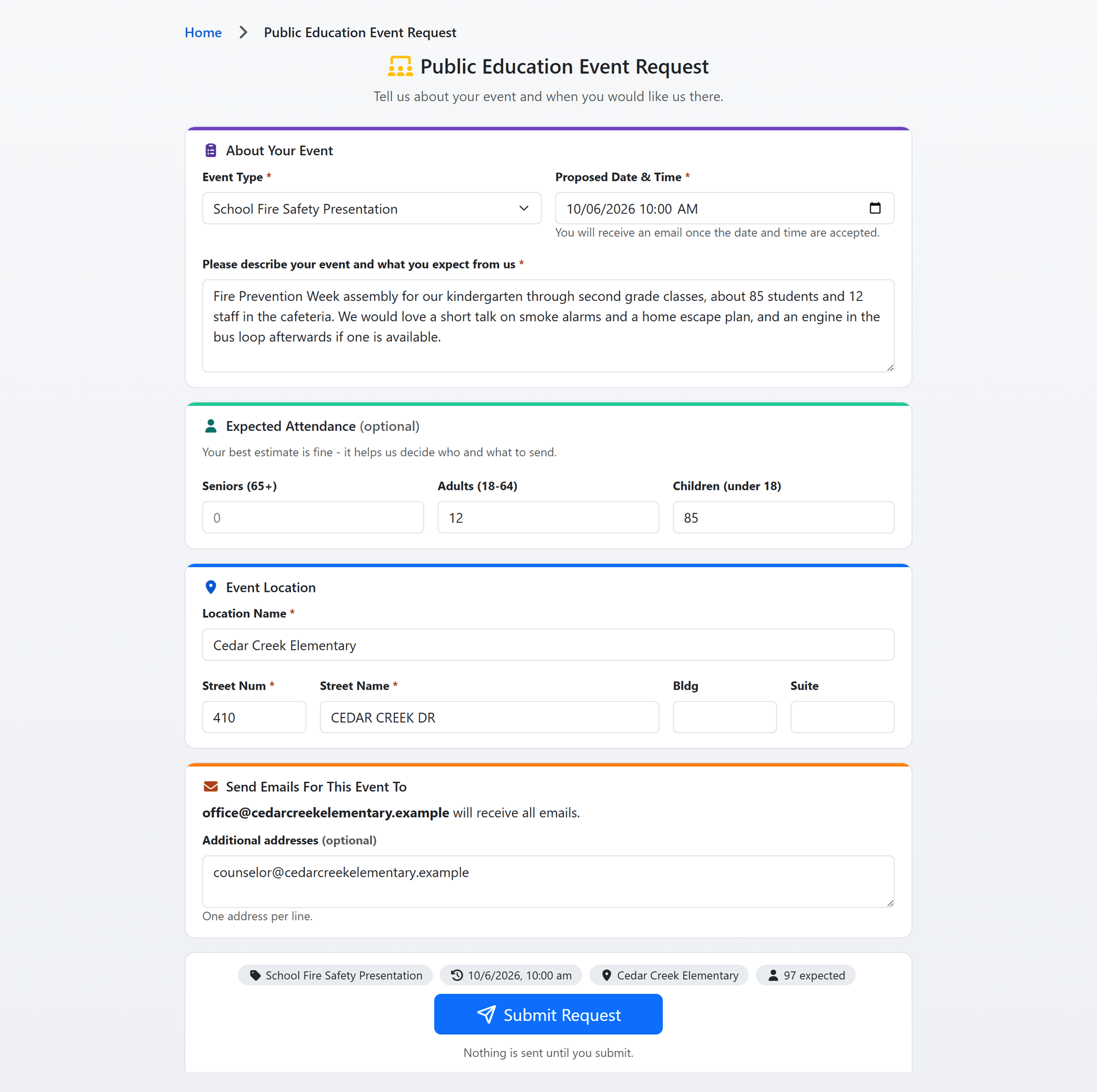
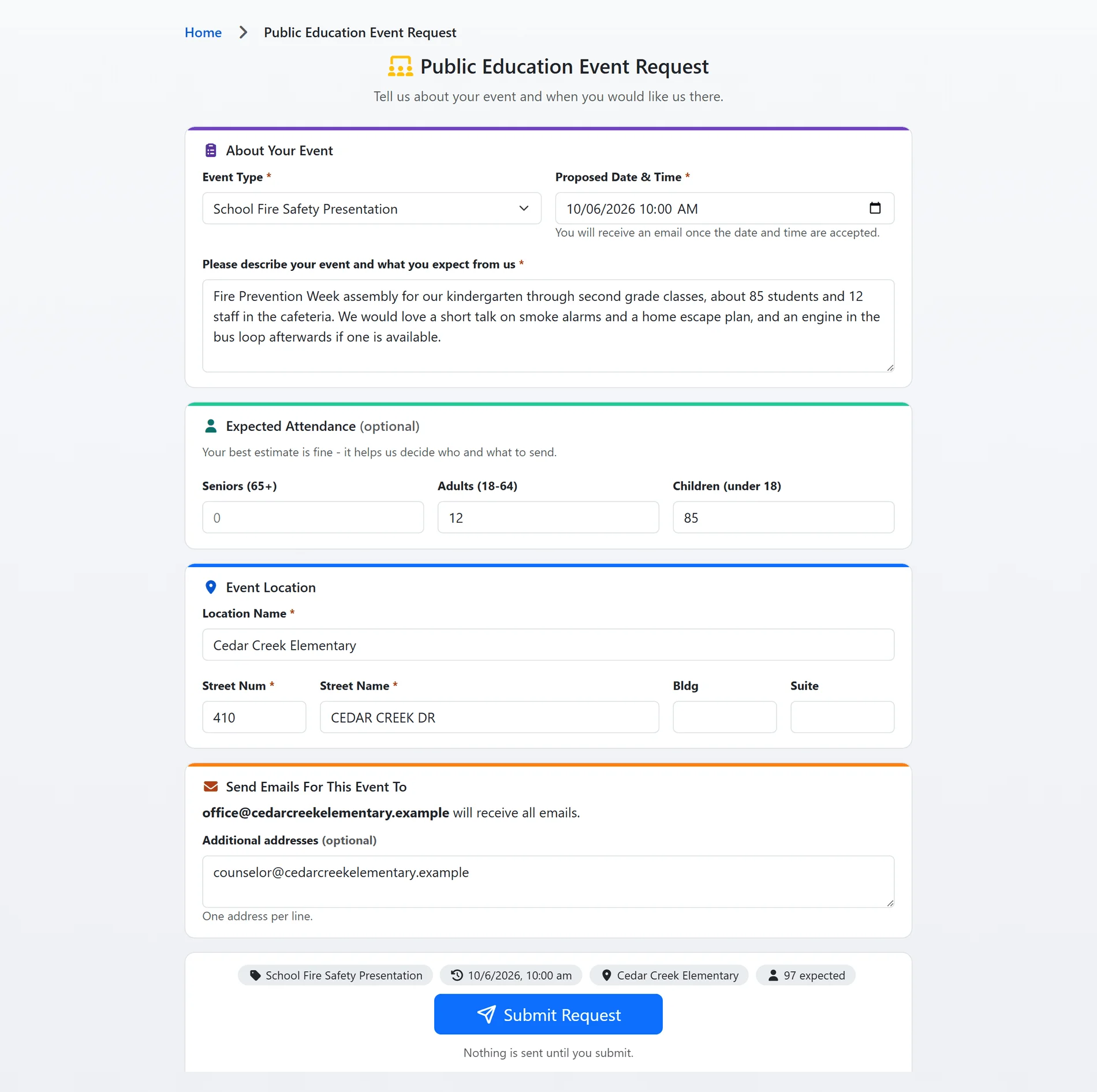
The public asks, and the form does the intake.
A teacher, a property manager or a scout leader signs in to your public portal and asks for an event: what kind, when, where, and roughly how many people. The request is numbered the moment it is submitted, the requester is emailed an acknowledgement, and the department sees it in the Processing queue.
- Your event types: the form offers only the types your department has switched on and marked public, and a request naming any other type is refused.
- The date in your time zone: the proposed date and time are read in the department's time zone, never the requester's browser.
- The address is located: a typed street address is geocoded and given its jurisdictions on submit; a request the department links to a property record carries that record's address instead.
- Nothing lost to a closed tab: the form remembers a half-finished request on the requester's own device, and nothing is sent until they submit.
- Returned, not rejected: a request missing something goes back as Incomplete with your note, and the requester corrects and resubmits it from the same page.
Shown with sample data.
Shown with sample data. Click the image to see the whole page.
Assign it, schedule it, close it out.
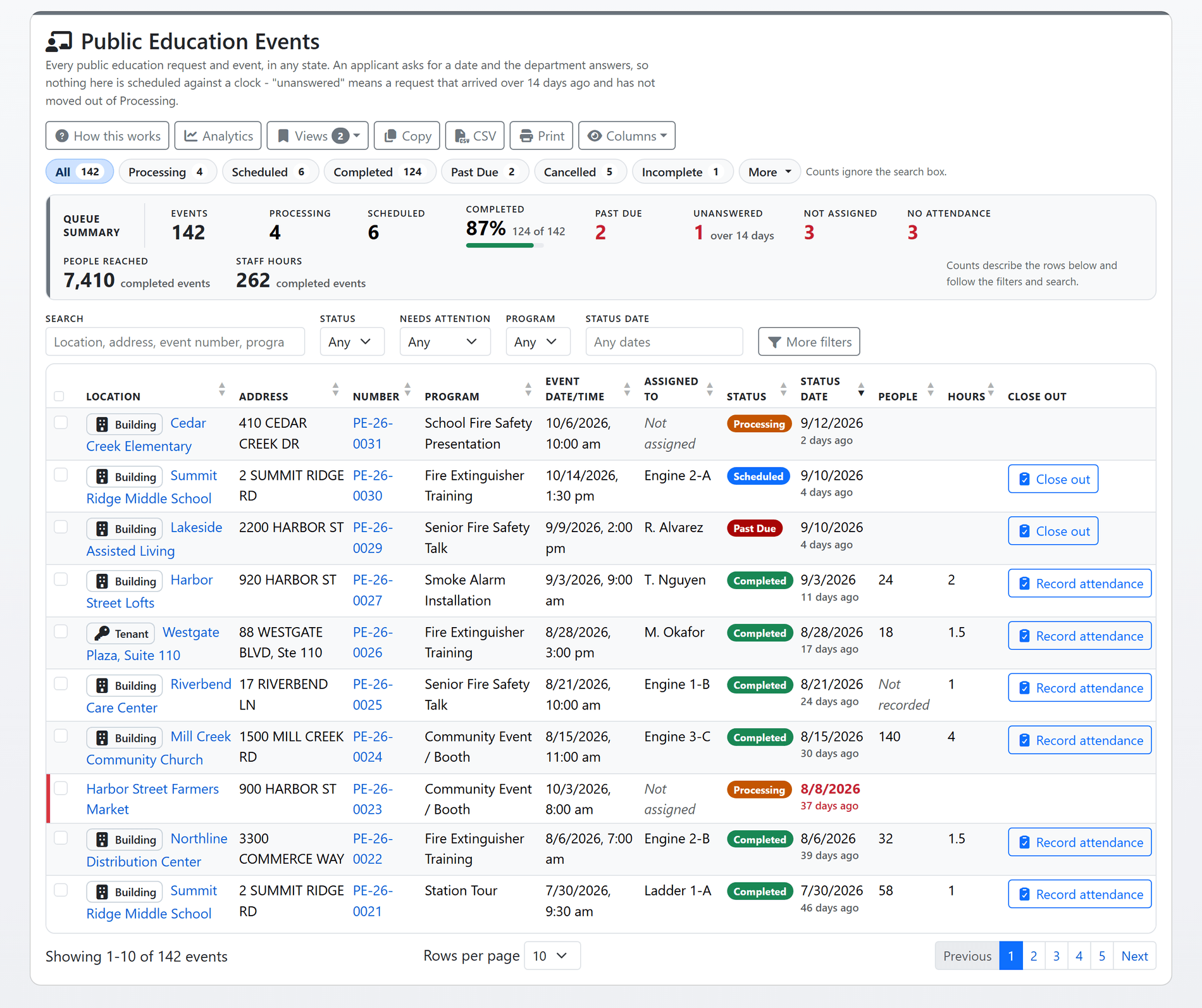
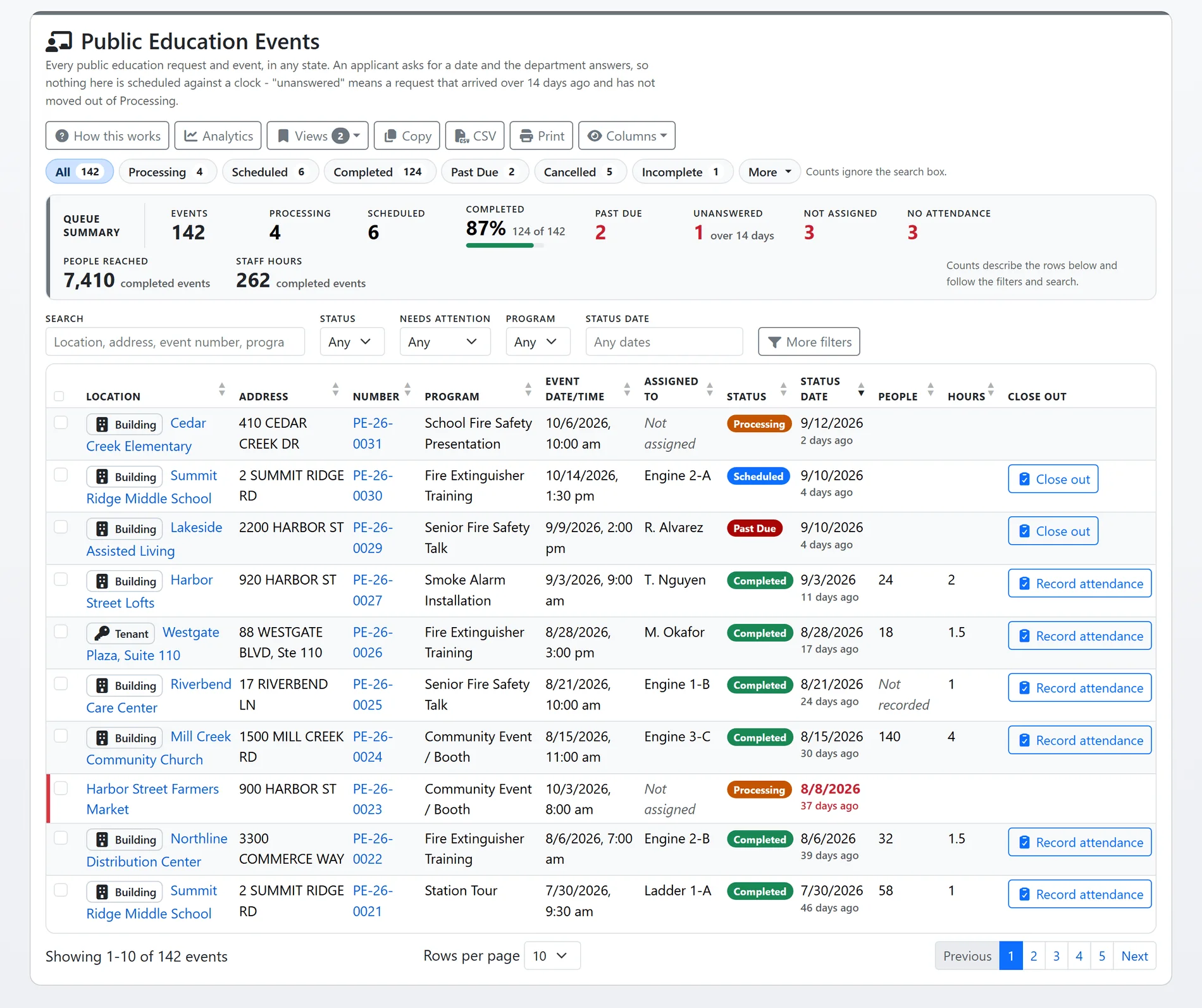
Every request, and every event the department records itself, sits in one list with a queue per status. Assign a person or a unit and shift, schedule it, and when it is done record who came and how long it took, from the row or from the event. The status rule does the bookkeeping.
- One rule, enforced: Scheduled and Completed are accepted only for an event that is assigned and linked to a property record, on the event and from the list alike. Scheduled also needs a date in the future.
- Past Due is never chosen by hand: each night a Scheduled event whose date has passed moves to Past Due, and it stays there until someone closes it out as Completed or Cancelled.
- Needs attention, in three tiles: a request unanswered for longer than your department's threshold, an event nobody is assigned to, and a completed event with no attendance recorded, each one click to list.
- Bulk assign from the list: pick the events and assign a person or a unit and shift at once, with no email to the assignee per event.
- On the property it serves: the location column carries the property type and its flags, and the property record's Public Education tab lists every event at that address.
Shown with sample data.
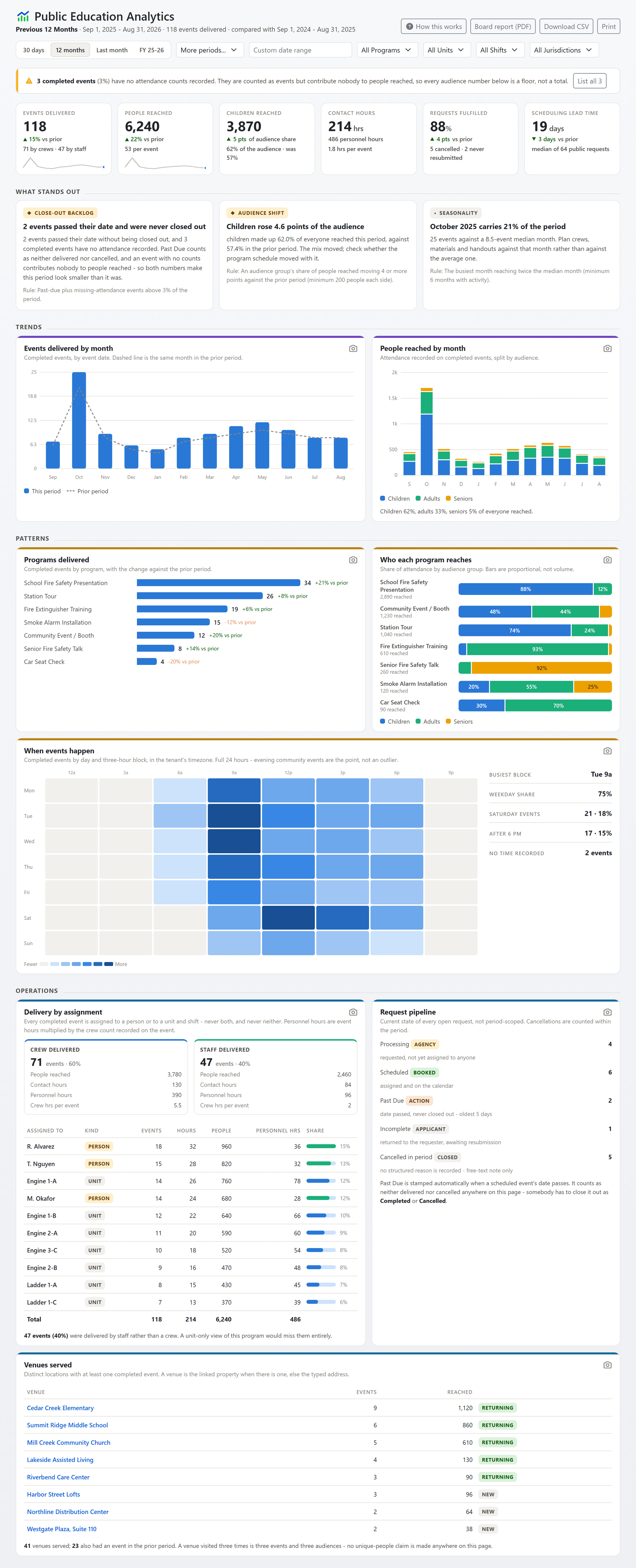
Shown with sample data. Click the image to see the whole page.
Reach, audience, and where you have not been.
The analytics page answers what a delivery log cannot: is reach growing, who is being reached, and where has the department not gone. Every number is built from the completed events, compared with the prior period, and printed as a board report.
- People reached, as a floor: the seniors, adults and children recorded on each completed event, with the page saying how many events carry no counts rather than pretending.
- Hours two ways: contact hours are the recorded duration; personnel hours multiply it by the staff who were there.
- Crew and staff together: delivery is reported by person and by unit and shift in one table, because every completed event carries exactly one assignment.
- When it happens: a day-by-hour heatmap over the full 24 hours, since evening community events are the point, not an outlier.
- Findings with the rule printed: a close-out backlog, an audience shift, a month that carries a fifth of the year, a city never visited. Each fires on a fixed rule stated beside it, and the board report and CSV are one click.
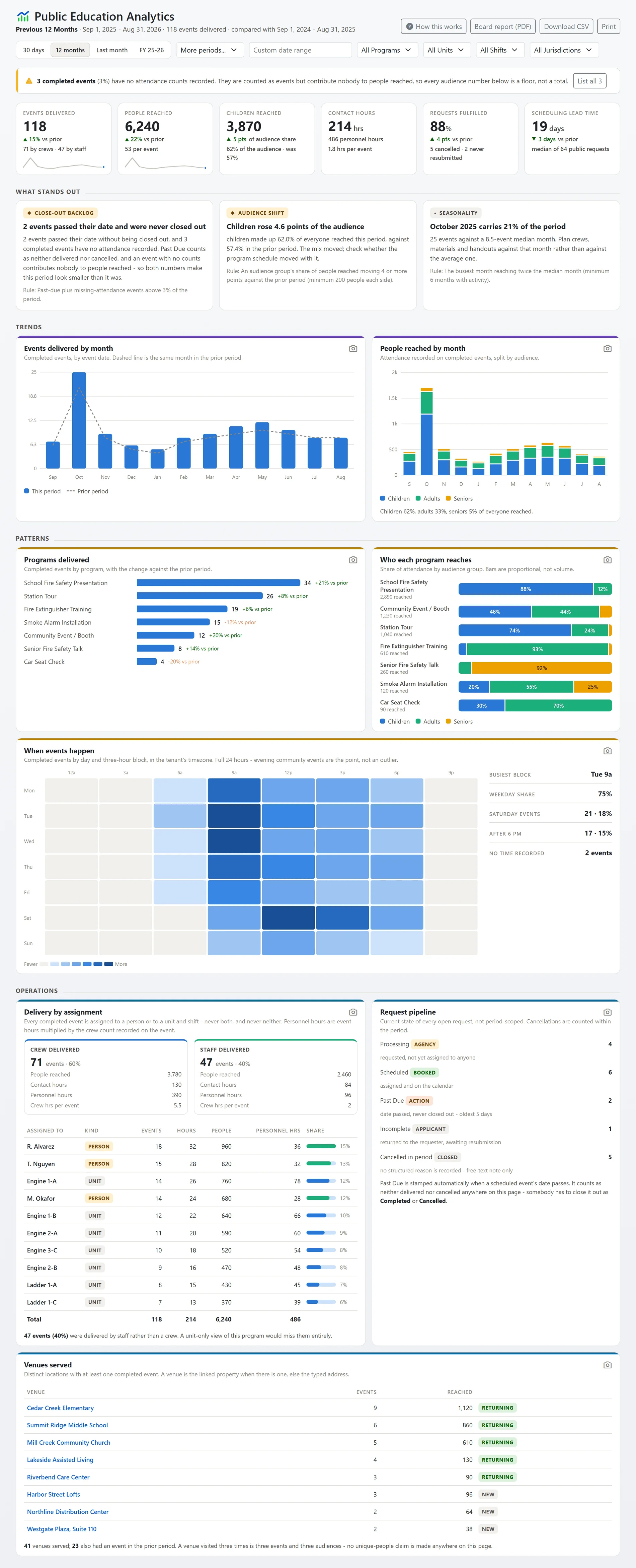
Shown with sample data.
And that is only the start
Emails in your words
Five emails go to the requester: received, returned as Incomplete, a note added, scheduled, and cancelled. Your department edits the wording and the copied addresses, and staff can untick any one before saving.
Recorded from the property
Staff record an event straight from a property record, linked to it from the start, choosing the type, the date and time, and the person or unit delivering it.
Reach by city
One row per municipality in your configuration, with a zero for any the program never visited. A table built only from where you went cannot show where you did not.
Saved views and exports
Filter the list by program, status, assignment, jurisdiction, occupancy class and status date, save the set as a named view, and copy, download or print it with the filters stamped on the export.
Your own homepage
Events assigned to you or your unit that are scheduled or past due and not yet closed out wait on your homepage, beside the rest of your day.
Configuration you can read
One page says whether the module is on, which event types staff can pick, which the public can request, how many events use each, and whether any recorded type is missing from the list.
See public education with your own event types.
A one-hour walkthrough with a fire prevention expert, or the demo site right now.