
From the application to the final inspection, on one record.
Applicants apply and pay online, the fee comes from your own schedule, plan review comments go out as a letter, and every inspection lands on the same property record your inspectors already use.

A permit module bolted onto a response RMS cannot do this job.
Permits are where a prevention bureau meets the public and collects most of its fees. A module built as an afterthought re-keys the application, types the fee by hand and keeps plan review in an inbox.
A fee the system cannot express is a fee someone types
Per sprinkler head over a threshold, tiers by device count, a base plus a rate per square foot, per tank, per event day, by burn purpose: if the schedule cannot be written down as a rule, a clerk guesses at it, and revenue leaks a few dollars at a time.
The schedule is written once as rules. The same calculator prices the application on the applicant's screen and again on the server, and the explanation is stored beside the fee.
Plan review lives in email
Corrections, resubmittals, the letter and the stamped set sit in an inbox nobody else can search, which is not a record.
Comments are recorded on the permit, the letter is generated from them, and approval is blocked while a correction is open.
The inspection is a second record
A system that keeps the permit in one place and its inspections in another makes someone reconcile them, and the applicant phones to ask which one is right.
A permit, its fees, its plan review and its inspections are one story on one property record.
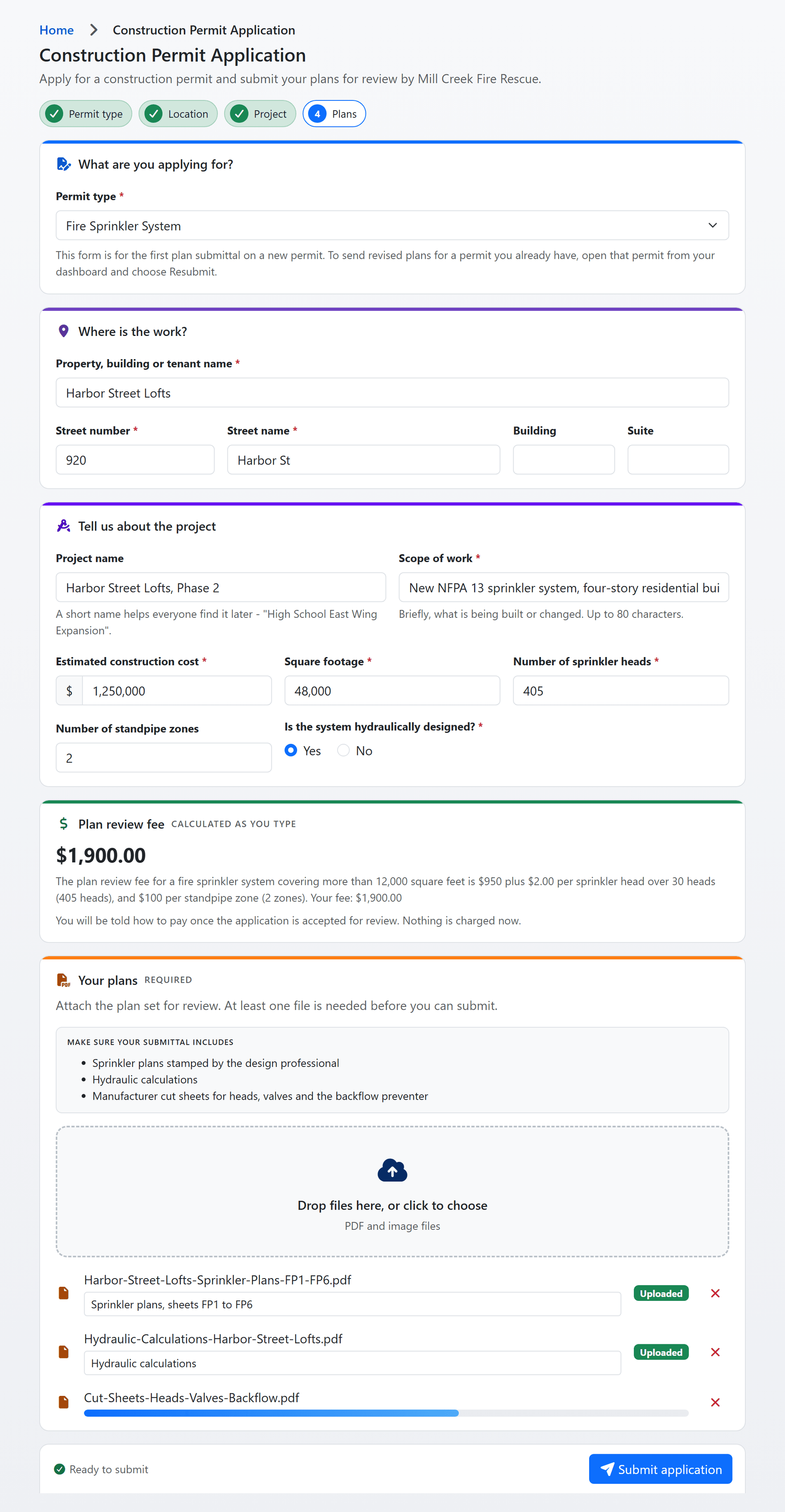
Shown with sample data. Click the image to see the whole page.
Applicants do the data entry, and get it right.
Contractors, owners and consultants apply on your department's own portal. Each permit type asks only for what your schedule needs, lists the documents you require before anything is uploaded, and shows the fee as the applicant types, so the application that reaches your desk is complete the first time.
- Construction and operational permits: every type on your list has its own form, fields, document checklist and fee, all from your configuration, not from a developer.
- Nothing lost part way: a started application is kept in the browser and offered back the next time, and one the department returns comes back with the reason on top.
- Plans on the first page: the plan set uploads with the application, files can be renamed and described, and a phone can take the photo.
- Everyone in the loop: the applicant names the other addresses that should get every email about the permit, and status changes go out by email and by text.
- Companies, not just people: a registered company sees every permit, inspection and ITM report its staff file, on one dashboard.
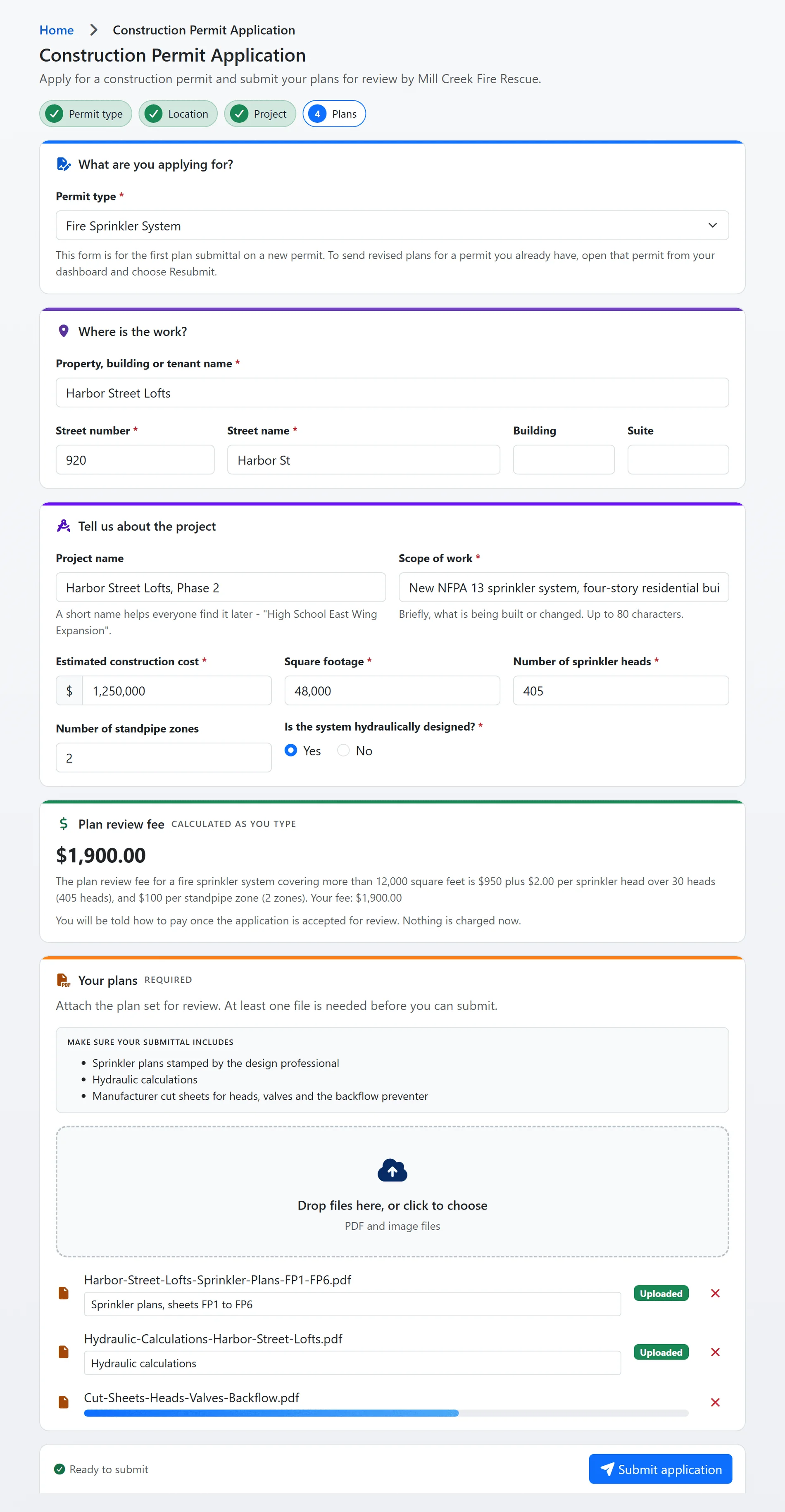
Shown with sample data.
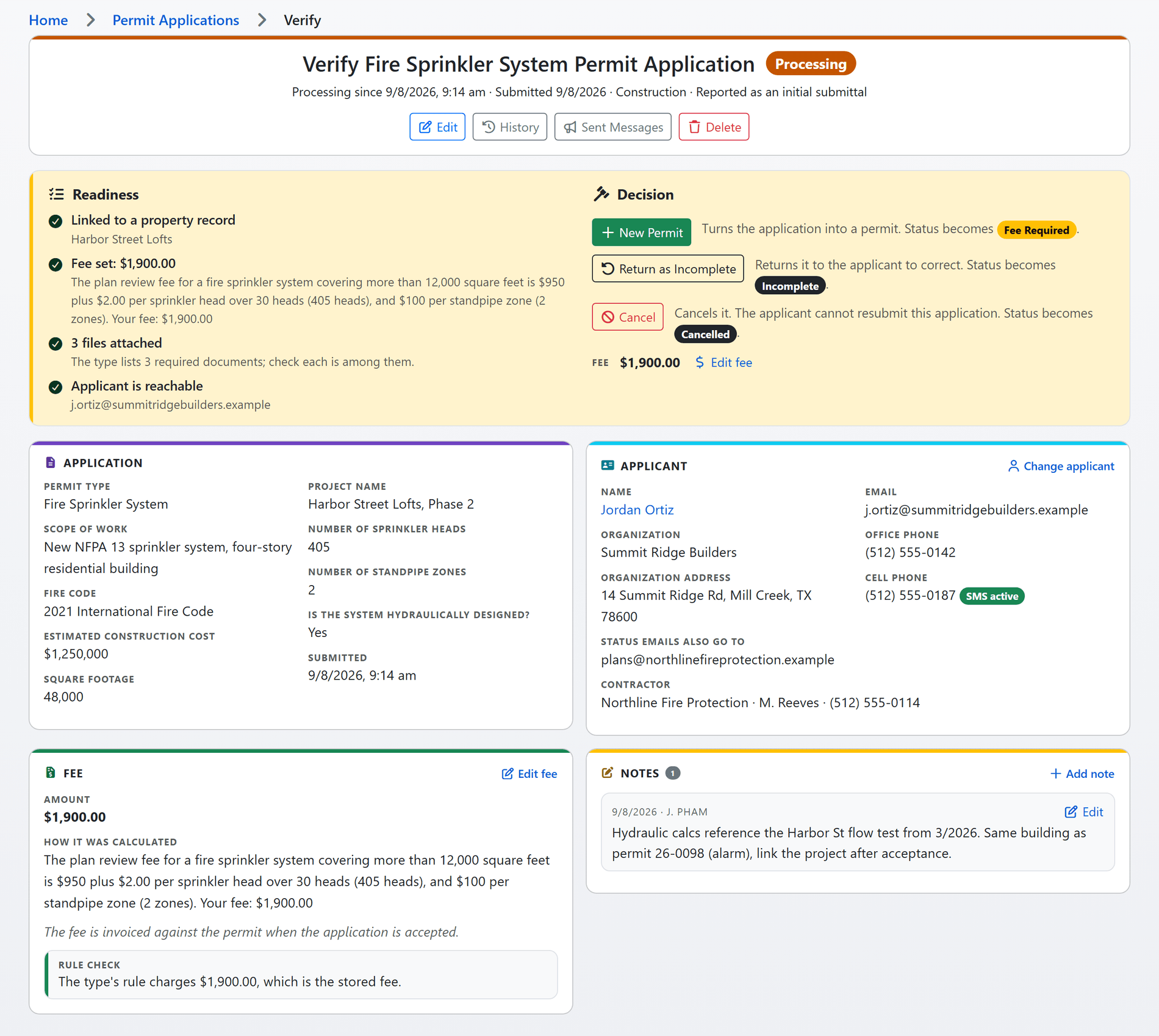
Shown with sample data. Click the image to see the whole page.
The fee is never wrong.
Your fee schedule is written once, as rules, and the same calculator prices the application on the applicant's screen and again on the server when it is saved. Nobody re-keys an amount, and the explanation the applicant read is stored beside the fee for the auditor.
- Rules, not arithmetic: flat fees, a base plus a rate per unit above a threshold or per group of units, tiers by count or area, conditions on a ratio or a choice, sums and multipliers, with a minimum and a maximum where you need them.
- Operational permits too: per tank, tiers by area, single day or multi-day, by burn purpose, all evaluated over the answers the application collected.
- A readiness check before the decision: the verify page confirms the property is linked, the street is on your list, the address has coordinates, the fee matches the rule, the required documents are attached and the applicant can be reached, then says which status each decision lands in.
- Resubmittals priced ahead: a department that charges for a third submittal shows that fee to the applicant before they send it, from the same tier table the invoice uses.
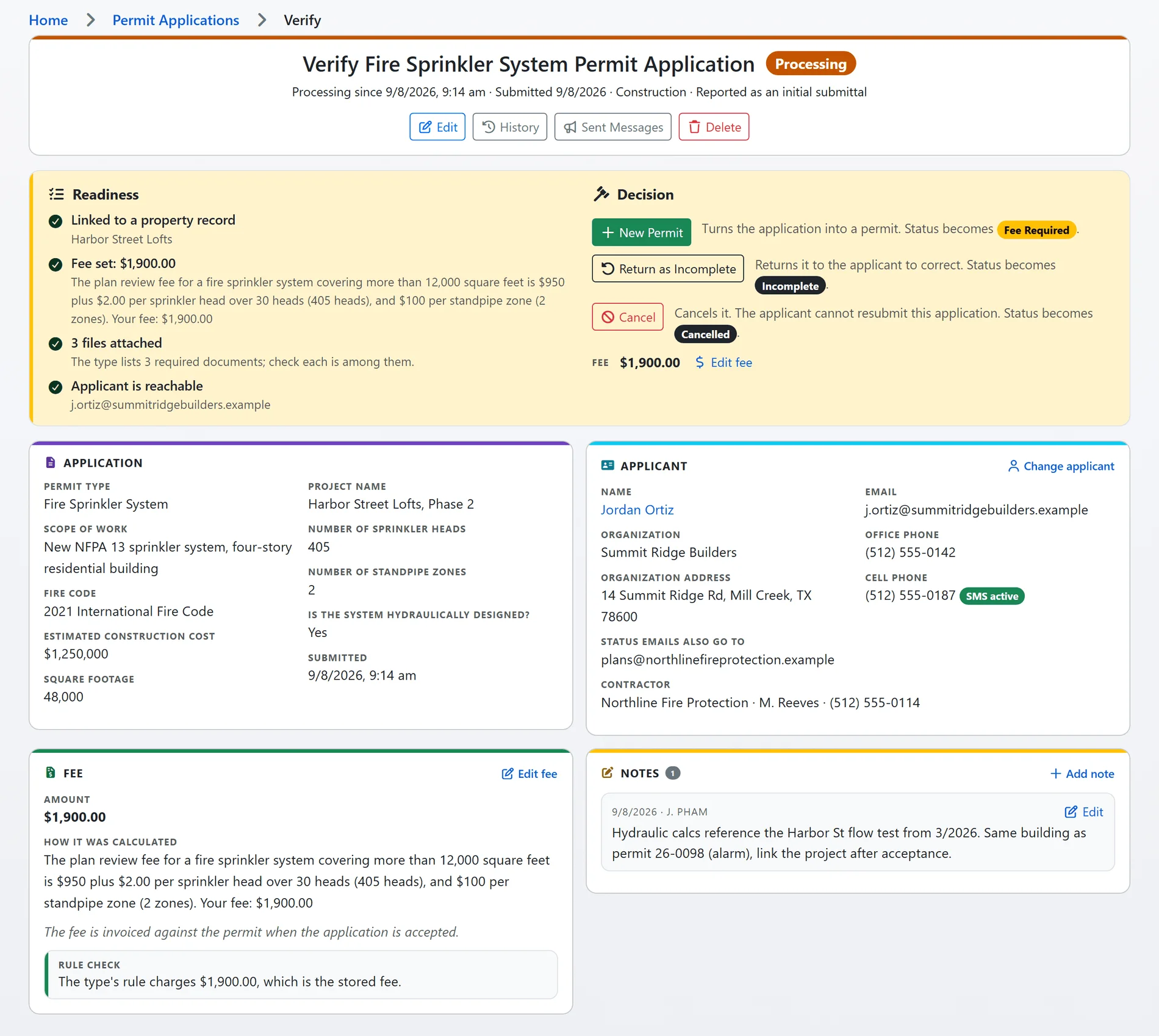
Shown with sample data.
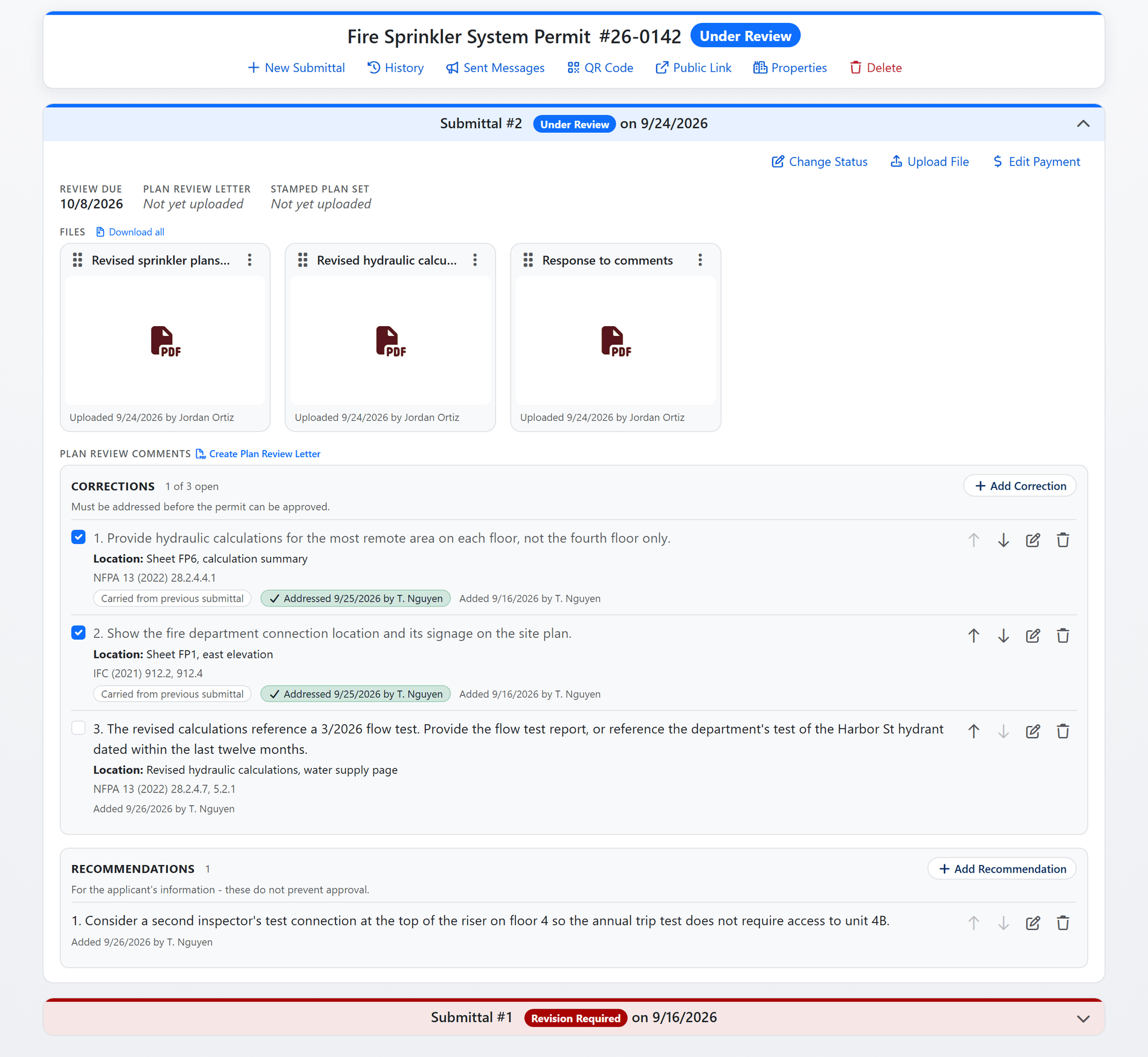
Shown with sample data. Click the image to see the whole page.
Comments become the letter, and the letter closes the loop.
A reviewer records each correction as an issue, where it is on the plan and the code section it cites, with a marked-up excerpt if it helps. The comment letter is generated from those comments, goes to the applicant with the status change, and the permit cannot be approved while a correction is open.
- Corrections and recommendations: corrections block approval, recommendations inform, and the letter states which outcome it carries.
- Carried forward: an unresolved correction is copied onto the next submittal, so round two starts where round one stopped, and each round stays on the record as history.
- A library that learns: every comment a reviewer writes is offered back the next time someone types something similar, the way the inspection violation library works.
- Review due dates and a reviewer's own homepage: each type carries its review turnaround, and a plan reviewer opens the day on a page of what needs them, what is on their plate and how they are doing.
- The stamped set, delivered: the stamped plan set goes to the applicant as a link in the approval email, and a superseded set stops answering the moment it is replaced.
- Sprinkler calculations in plain words, free: anyone can upload a contractor's hydraulic calculation packet to the fire sprinkler hydraulic calculation summary and read the design criteria, the water supply against the demand, and what to check on the plans, with no account.
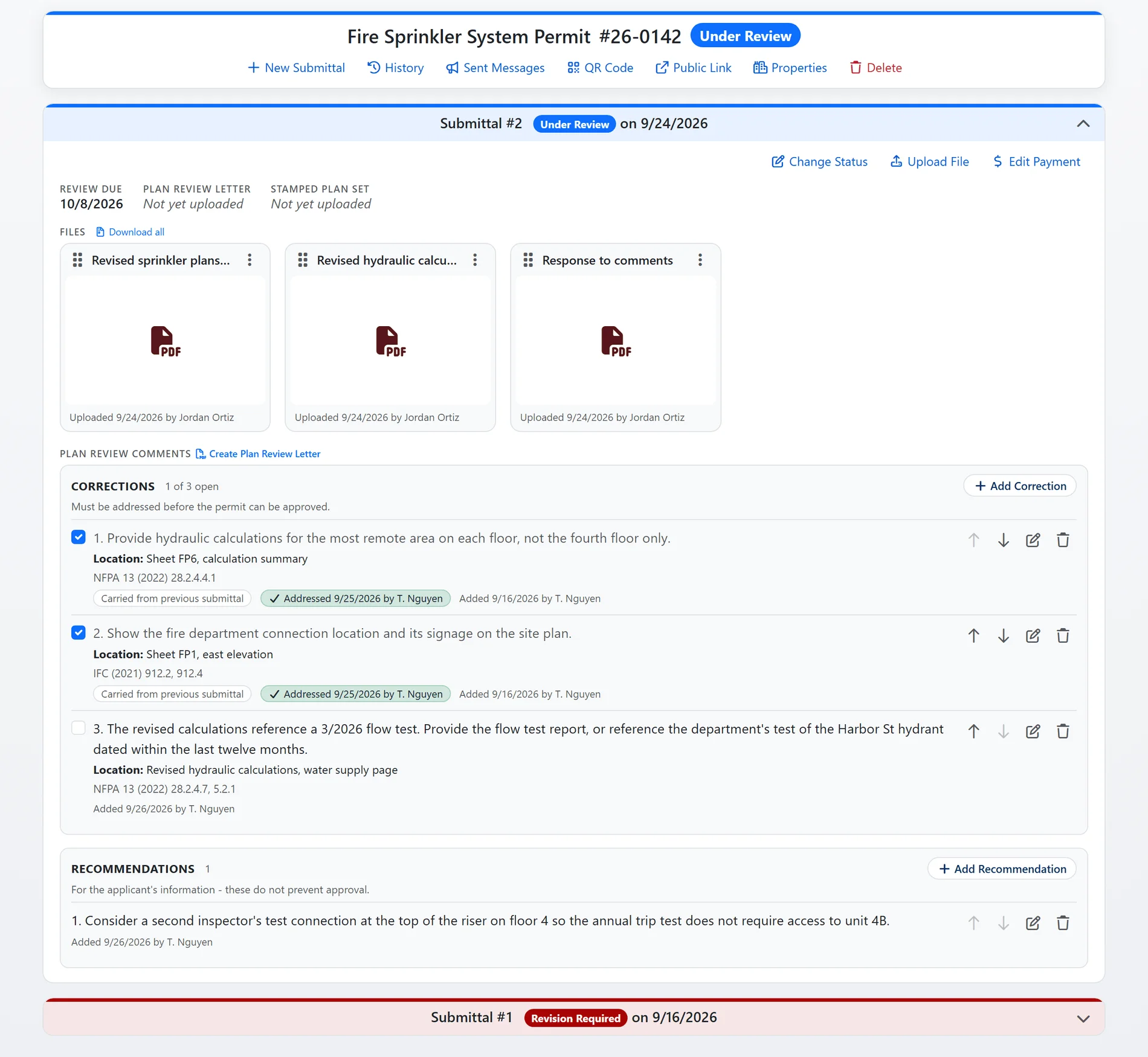
Shown with sample data.
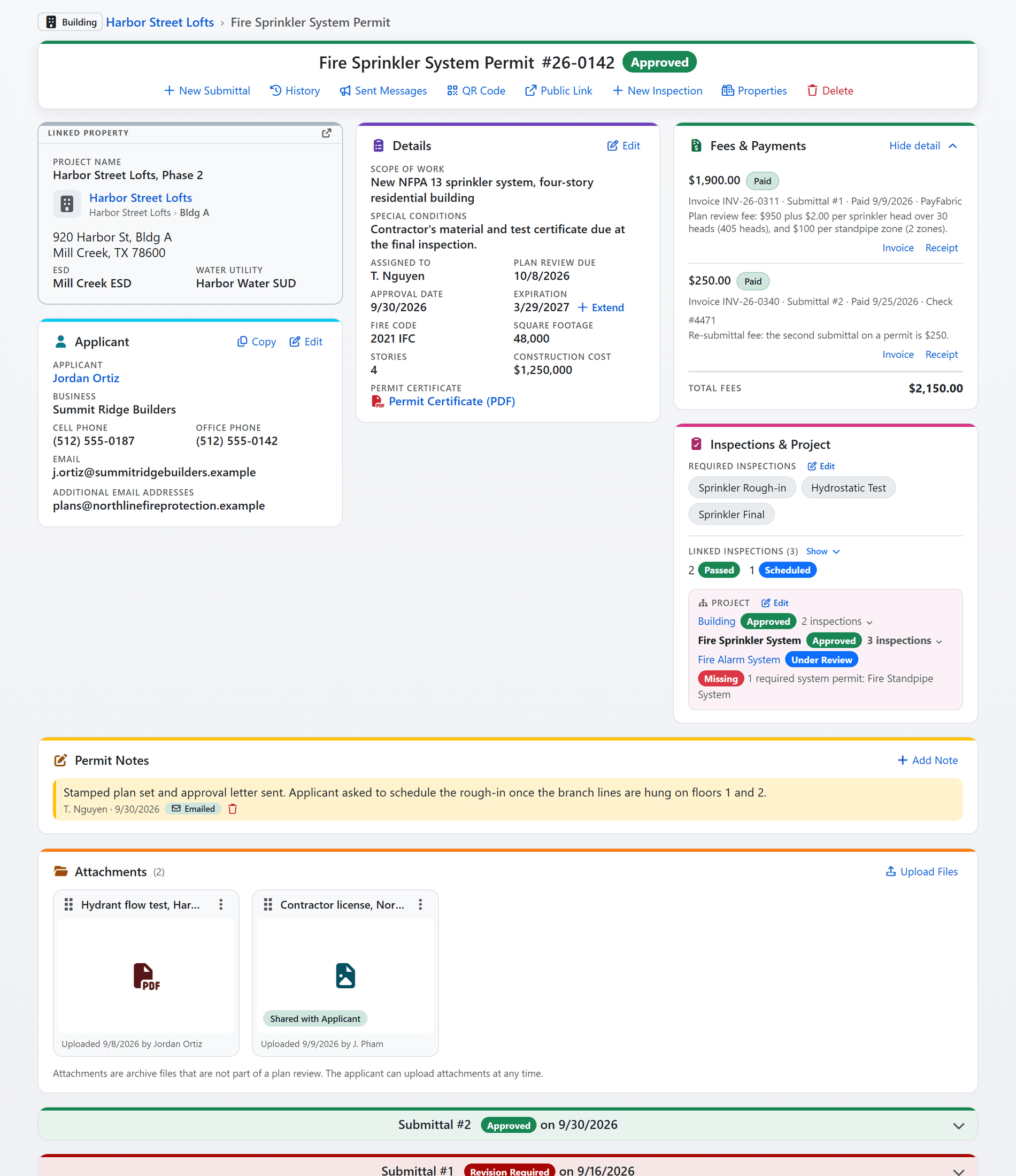
Shown with sample data. Click the image to see the whole page.
Fees, inspections and files, one page on one property.
Every permit is linked to a property record the inspectors, the investigators and the ITM reports already share. The page answers the questions a fire marshal asks in the order they ask them: what is the status, is anything owed, which inspections are required and which are done, and what else is going on at this address.
- Fees and payments: every invoice with how it was paid, its invoice and receipt, and a void with a reason when a fee is withdrawn.
- Inspections that belong to the permit: the required inspections are set on the permit type, each one scheduled from this page lands on the property, and the project tree shows the building permit, the system permits under it and the system permit nobody has applied for yet.
- Files with a role: plan sets, the comment letter and the stamped set on each submittal, attachments that can be shared with the applicant, and drag-to-reorder tiles.
- The paper trail: the history of every change, every email and text the system sent, notes that can be emailed, a permit certificate as a PDF, and a QR code that opens the public page.
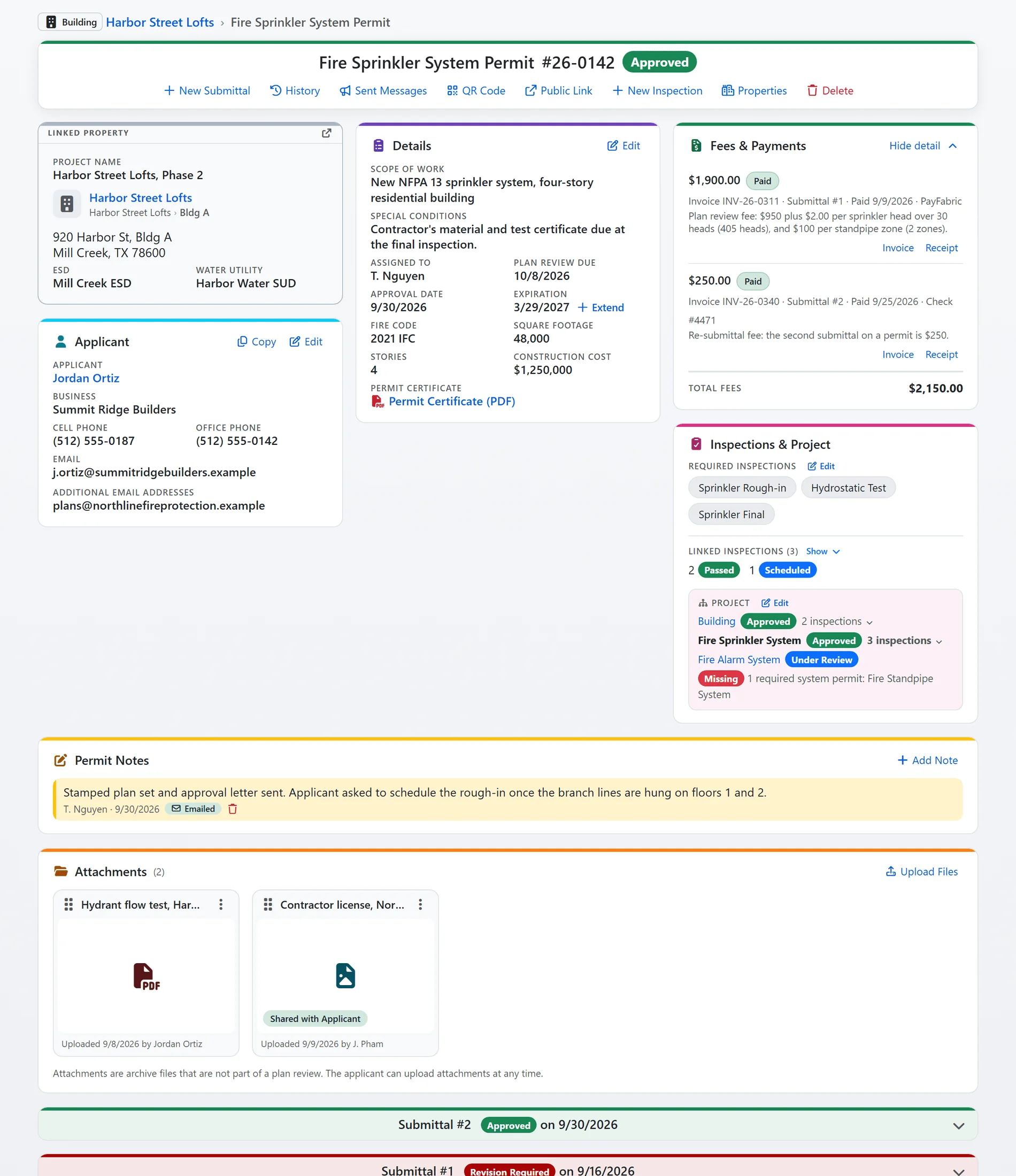
Shown with sample data.
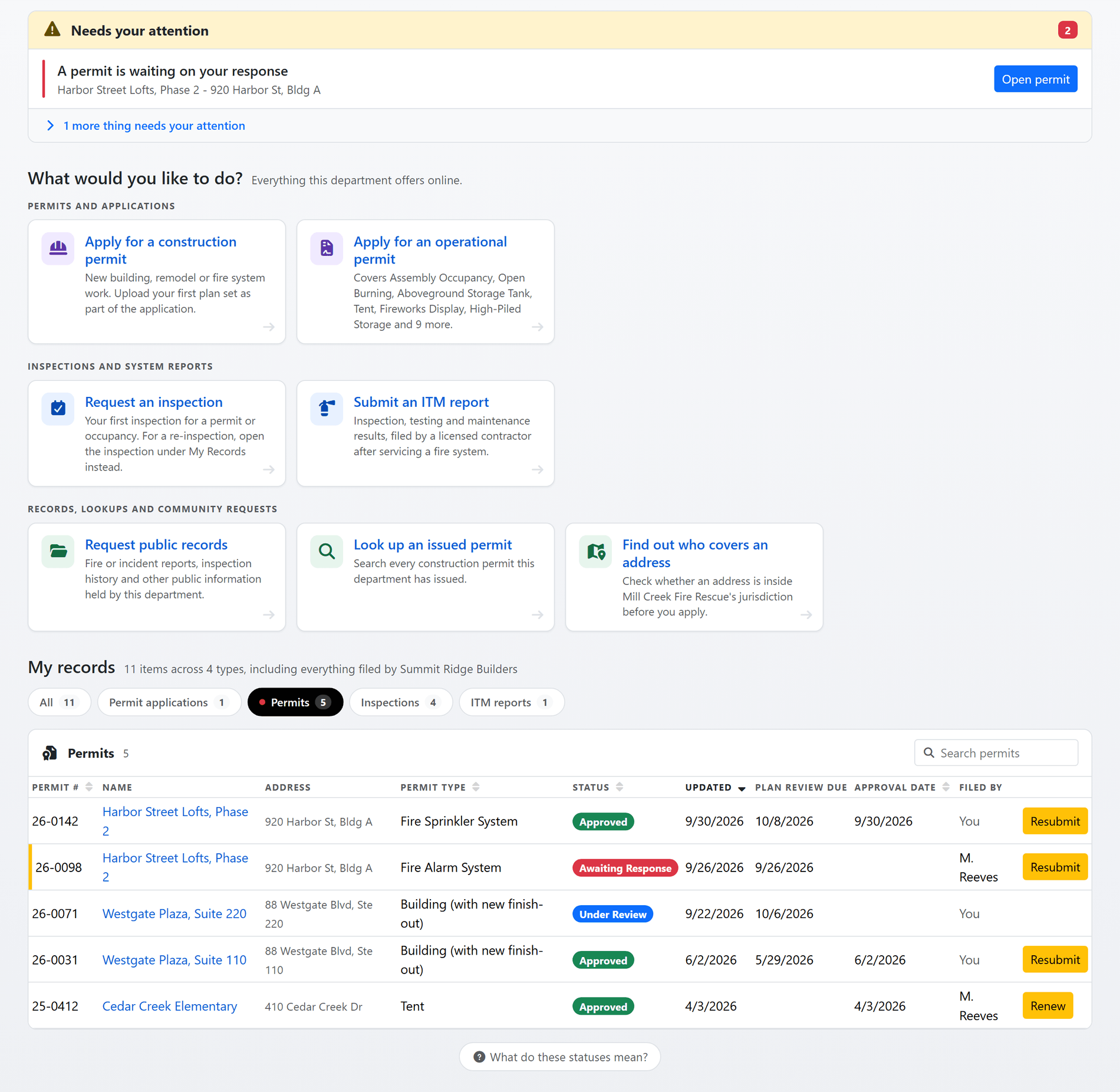
Shown with sample data. Click the image to see the whole page.
The applicant always knows where it stands.
The public portal opens on what needs the applicant now, then their permits, applications, inspections and reports with a status on each. A permit waiting on a response, an unfinished application or a fee due is at the top of the page, not in a phone call to your office.
- Pay through your own processor: the fee is paid on the permit's page through the provider your department already uses, PayPal, PayFabric, Zift, Certified Payments or Tyler Technologies, with the card details entered on the processor's side and the payment posted straight back to the permit.
- Receipts and notices: the fee notice can carry the invoice as a PDF, the payment confirmation the receipt, and the payer can download the receipt from the permit any time.
- Resubmit and renew from the row: a construction permit takes revised plans as a new submittal; an operational permit whose type allows renewal offers it in its renewal window.
- Public lookups: anyone can look up an issued construction permit or check which department covers an address, without an account.
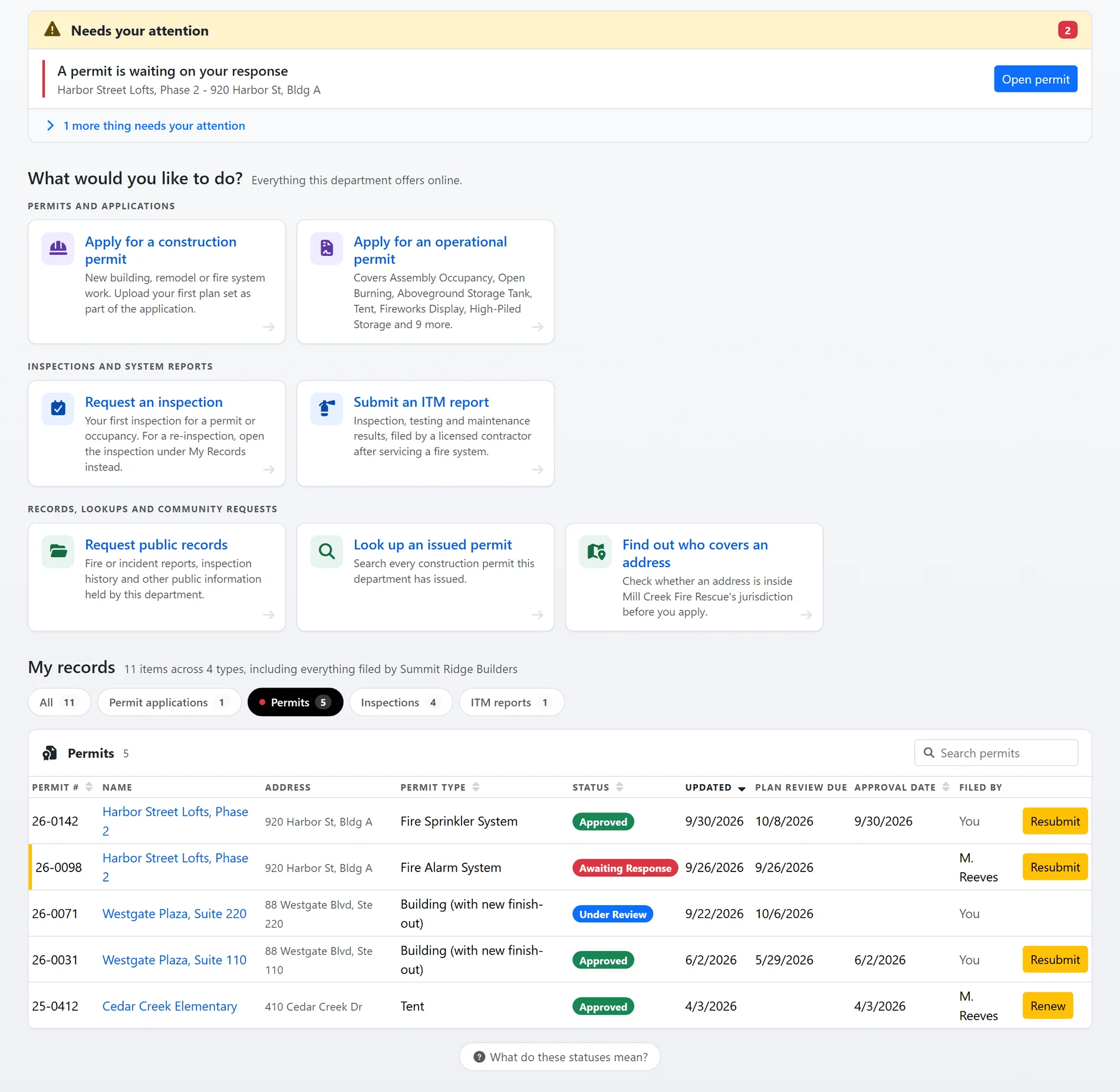
Shown with sample data.
And that is only the start
The rest of the module is built the same way: one rule, one record, nothing re-keyed.
Operational permit renewals
A type that allows renewal sets its own window before and after expiration and its renewal fee. The permit offers the renewal to its holder, links the two records, and one renewal per permit is enforced.
Open burning permits
The dispatcher's list of who has fire on the ground and the number to call, an activation notice to dispatch, a burn status strip on the portal, and a phone line the holder can call to activate a permit.
The permit map
Every located permit on the map, pinned in the color its status wears everywhere else in the platform, filtered by status and type, with your district boundary drawn on it.
Activity across permits
One searchable feed of every status change, every note and every fee event on every permit and application, so "who marked this paid" and "when did we send that letter" take a filter, not an investigation.
Permit numbers your way
Numbers are generated per year, and a department that issues its own numbers can enter one that replaces the generated number everywhere it is shown, including the phone lookup.
Analytics for the permit desk
Volumes, turnaround and fees by type and by month, read from the same records, with comparisons against the prior period and a PDF for the board.
See it with your own permit types and fee schedule.
A one-hour walkthrough with a fire prevention expert, or the demo site right now.